
How Much Does a Retail POS System Cost in 2026?
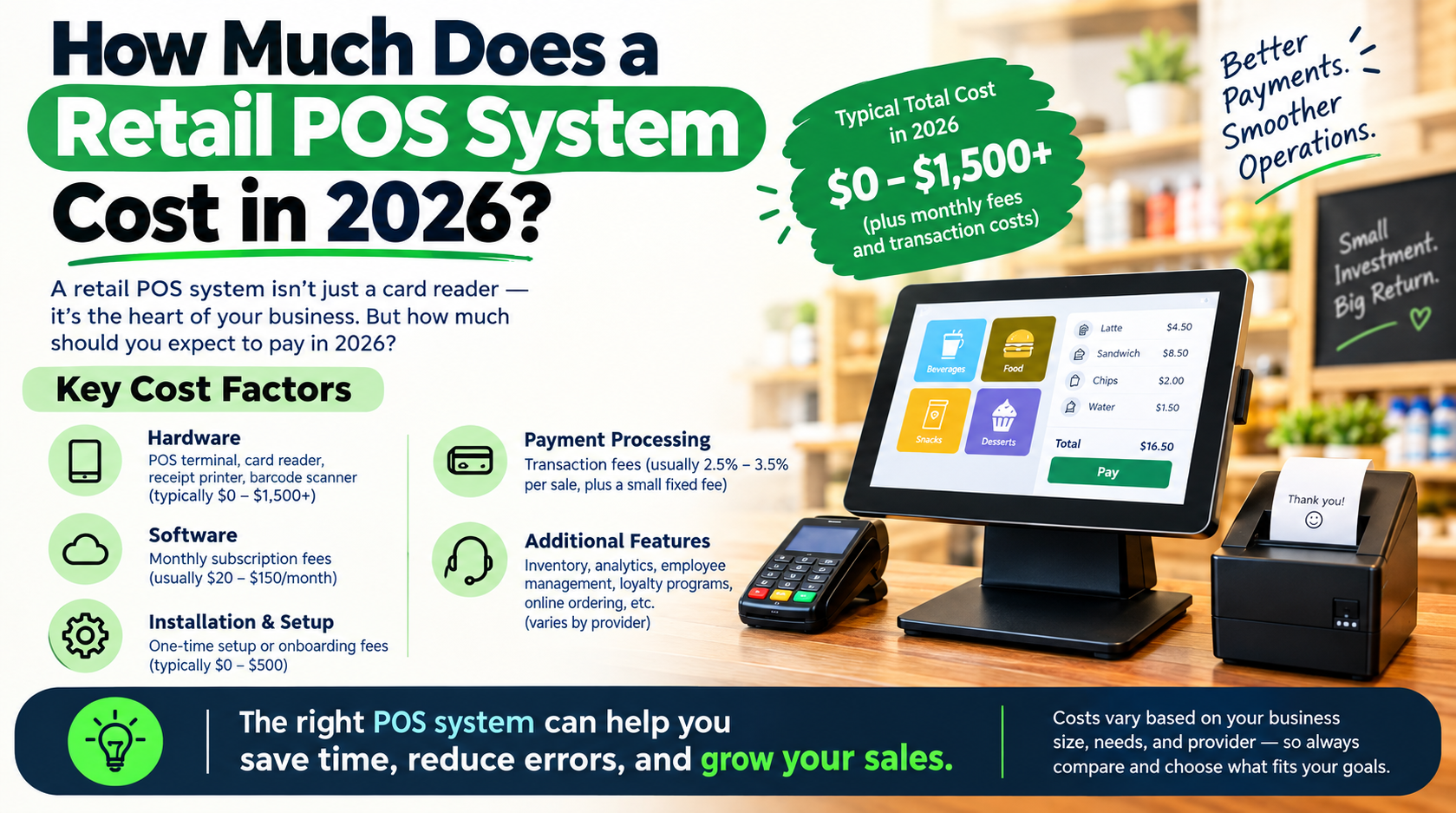
A retail POS system can cost anywhere from a few hundred dollars for a basic setup to several thousand dollars for a complete retail solution. The final price depends on the hardware, software, payment processing, number of registers, features, integrations, and business size.
There is no single retail POS price.A small store using one terminal has different costs from a multi-location retailer with several checkout stations, barcode scanners, inventory tools, and advanced reporting.
The important thing is to look beyond the price of the POS terminal.A retail POS system may involve costs for:
- POS hardware
- Software subscriptions
- Payment processing
- Barcode scanners
- Receipt printers
- Cash drawers
- Setup and installation
- Additional registers
- Integrations
- Support services
USPayRun offers retail POS systems with hardware and features selected around a business’s needs. Its published retail page also states that businesses should consider setup costs, subscription fees, and transaction costs when comparing POS solutions. (USPayrun)
What Is the Average Cost of a Retail POS System in 2026?
Retail POS costs depend on the type of system you need.
A simple setup with basic hardware costs far less than a full system built for high inventory volumes or multiple locations.Here is a practical way to break down the costs.
| POS Cost | Common Price Range |
| Basic POS hardware | A few hundred dollars |
| Full POS terminal | $699–$799+ |
| Barcode scanner | Around $49–$99 |
| Cash drawer | Around $99 |
| Receipt printer | Around $150–$250 |
| Self-service kiosk | Around $1,699 |
| POS software | Monthly or custom pricing |
| Payment processing | Based on the provider and transaction pricing |
| Additional features | Varies by business needs |
USPayRun currently lists individual POS hardware prices, including a 15.6-inch touchscreen POS at $699, a dual-touch POS at $799, barcode scanners from $49 to $99, cash drawers at $99, receipt printers from $150 to $250, and a kiosk at $1,699. Hardware pricing can change, so retailers should request current pricing before making a purchase decision.
What Does POS Hardware Cost?
POS hardware is usually the first major cost retailers see.
The amount depends on what your checkout setup requires.A basic retail setup may include a POS terminal and payment device. A larger store may need additional scanners, printers, cash drawers, customer displays, and multiple checkout stations.
POS Terminal
The POS terminal is the central device employees use during checkout.USPayRun currently lists retail touchscreen hardware at $699 and dual-touch hardware at $799.
The number of terminals affects your total hardware cost.One checkout station needs one setup. A busy retailer with four checkout counters needs more hardware.
How Much Does a Barcode Scanner Cost?
A barcode scanner is a smaller expense, but it plays an important role in retail checkout and inventory management.
USPayRun currently lists a handheld 1D/2D barcode scanner at $49 and another barcode reader option at $99.
Retailers with large product catalogs should include barcode scanning in their budget.The scanner helps employees identify products faster and supports inventory updates.
How Much Do POS Printers and Cash Drawers Cost?
A complete retail checkout may require more than a terminal.
USPayRun currently lists:
- Mini cash drawers at $99
- Thermal receipt printers at $150
- 80mm ticket printers at $250
These prices show why comparing only the terminal price does not give you the complete POS cost. You need to price the entire setup.
How Much Does Retail POS Software Cost?
Retail POS software pricing depends on the provider and the features included in your plan.
Some businesses need basic checkout and payment functions.
Others need:
- Real-time inventory management
- SKU management
- Product variants
- Barcode scanning
- Employee management
- Sales reports
- Customer management
- Ecommerce connections
- Multi-location controls
More advanced requirements can increase the overall cost.
USPayRun does not publish one fixed retail POS software price on its main retail POS page. Instead, it invites businesses to build a custom POS system by selecting the features and hardware that fit their needs.
That means the final cost should be requested based on your specific setup.
How Much Does Payment Processing Add to POS Costs?
Payment processing is one of the ongoing costs retailers should understand before choosing a POS system.
Every business has different transaction volumes and payment needs.
Your costs may depend on factors such as:
- Monthly card sales
- Average transaction value
- Card types
- Payment method
- Processing agreement
- Merchant services
USPayRun states that Payrun Payments is included in its POS subscription options for Payrun Retail users in the United States, with credit card processing rates set at a predictable fee structure for card types. The company also promotes merchant service options with transparent pricing. Retailers should request their specific processing terms before comparing providers.
The lowest software price does not always mean the lowest overall POS cost.Payment processing should be part of the comparison.
What Other Fees Should Retailers Expect?
Some POS costs are easy to miss because they are not part of the hardware price.
Before choosing a system, ask about the full cost.Important questions include:
Is There a Setup Fee?
Some providers charge for setup, onboarding, installation, or account configuration.Ask for the amount before signing up.
Is There a Monthly Software Fee?
Cloud-based POS systems commonly use recurring software pricing.Check what features are included in the monthly price.
Are Payment Processing Fees Separate?
Payment processing may be priced separately from POS software.Understand the processing terms before choosing a provider.
Do Extra Registers Cost More?
A single-store setup may need one register.A growing business may need several.Ask whether each additional device or user adds another cost.
Are Integrations Included?
Your business may need to connect the POS with ecommerce, inventory, accounting, or other systems.Check whether those connections require additional fees.
Is Support Included?
Ask what type of support is included in the price.A lower upfront cost may not include the same level of assistance as another plan.
How Much Does a Small Retail Store Spend on a POS System?
A small retail store may start with one terminal and a few essential devices.
For example, a basic setup could include:
- One POS terminal
- One barcode scanner
- One cash drawer
- One receipt printer
- POS software
- Payment processing
Using USPayRun’s currently published hardware prices as an example, a $699 terminal, $49 scanner, $99 cash drawer, and $150 printer would total about $997 in listed hardware costs before software, payment processing, taxes, or other services. A different hardware selection changes the total.
This is why retailers should start by identifying what they actually need.Buying unnecessary equipment increases the upfront cost.Buying too little can create problems as the business grows.
How Much Does a Multi-Location Retail POS System Cost?
Multi-location retailers should expect higher costs because they need more hardware and broader management features.The total include:
- Multiple POS terminals
- Additional barcode scanners
- More payment devices
- Location-based inventory
- Centralized reporting
- Employee permissions
- Multi-store management
- Ecommerce integration
For example, three checkout stations need more hardware than one.The software requirements may also change.
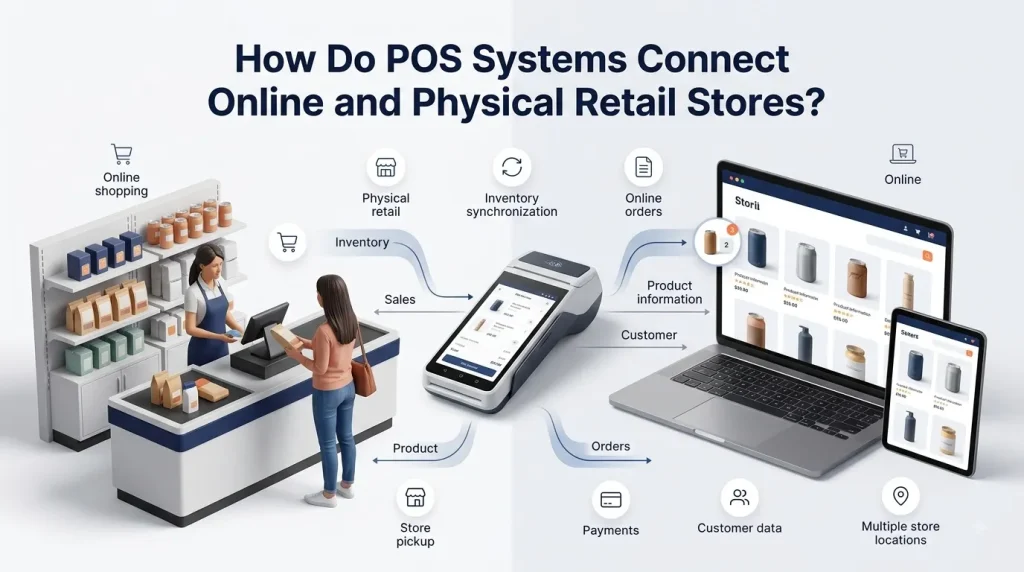
USPayRun supports multi-channel and multi-location business needs through its POS and retail payment solutions, including centralized management capabilities for businesses operating across multiple stores.
Is Buying a Cheap POS System Always the Best Option?
No.The cheapest POS system may not be the lowest-cost option over time.A lower upfront price can become more expensive when important features are missing.
For example, a retailer may save money on the initial hardware but later need separate software for inventory, ecommerce, reporting, or customer management.
That creates more systems to manage.The better question is:
What does the total POS system cost for the features my business actually needs?
Compare:
- Hardware costs
- Software costs
- Payment processing
- Setup fees
- Additional registers
- Integrations
- Support
- Contract terms
- Future expansion costs
This gives you a more accurate picture.
What Retail POS Features Are Worth Paying For?
Pay for features that solve a real problem in your business.
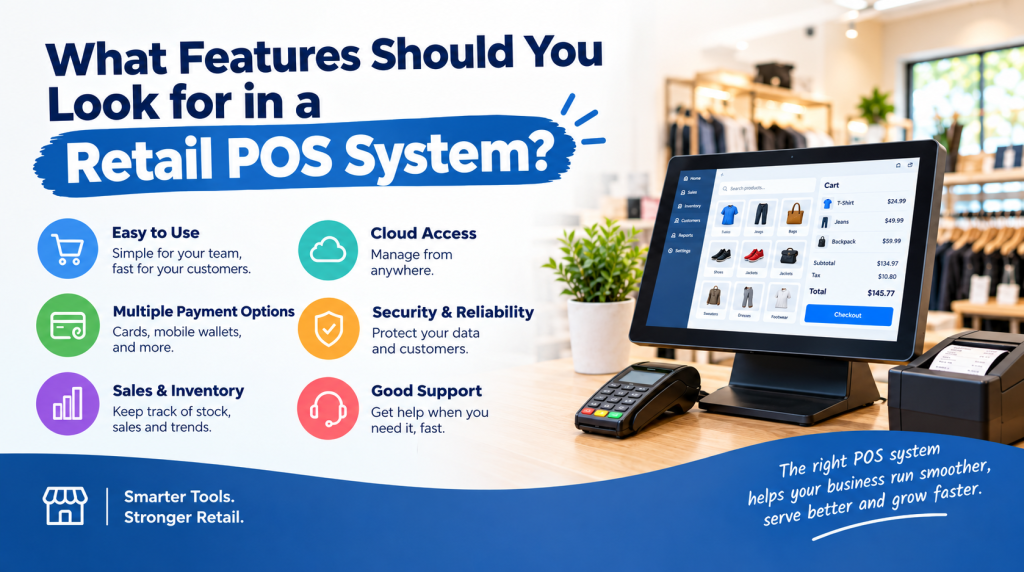
For most retailers, important features include inventory management, barcode scanning, payment processing, sales reporting, employee management, and customer management.
USPayRun’s retail POS system includes features such as real-time inventory, barcode scanning, multiple payment methods, sales analytics, employee management, CRM, cloud-based access, and multi-channel integration.
The value of these features depends on how you operate.A small boutique may prioritize inventory and checkout.A large retailer may need multi-location reporting and stronger integrations.
How Can You Reduce Retail POS Costs?
The best way to control POS costs is to build your setup around your actual business needs.
Start with the essentials.Then add features and hardware that support your daily operations.Here are some ways to avoid unnecessary costs:
Choose the Right Hardware
Do not buy several terminals when one is enough.At the same time, do not choose equipment that slows down a busy checkout area.
Compare the Total Cost
Look beyond the monthly software fee.Include hardware, setup, payment processing, and other charges.
Check What Is Included
Some features may already be part of your POS plan.Others may require an additional service.
Plan for Growth
A system that works for your business today should support your next stage of growth.USPayRun positions its POS systems for businesses ranging from smaller operations to larger and multi-location businesses.
Is a Custom POS System Worth the Cost?
A custom POS setup is worth considering when your business has specific operational needs.
Not every retailer needs the same hardware.A clothing boutique, convenience store, bookstore, and jewelry business have different workflows.
USPayRun specifically presents retail POS solutions for different retail selling styles and encourages businesses to select the features and hardware that fit their operations.
Customizing the setup helps you avoid paying for equipment that does not serve your business.
What Should You Ask Before Buying a Retail POS System?
Ask these questions before making your decision:
What is the full upfront hardware cost?
What is the monthly software cost?
What payment processing fees apply?
Are setup and installation included?
What hardware do I actually need?
Does the price include inventory management?
Are sales reports included?
Does the system support barcode scanning?
What happens when I add another location?
Are there additional fees for integrations or support?
A clear answer to these questions makes it easier to compare POS providers fairly.
How Much Should You Budget for a Retail POS System in 2026?
Your POS budget should cover the complete system, not just the screen sitting on the checkout counter.
For a basic retail setup, hardware may start around the cost of a single terminal plus essential peripherals. Based on USPayRun’s currently listed products, that could mean roughly $1,000 in example hardware before software and payment processing. More complete setups with dual screens, additional registers, kiosks, multiple locations, or advanced integrations can cost significantly more.
The right budget depends on your store.
A clear feature list makes the decision easier.
Ready to Build Your Retail POS Setup?
A retail POS system should fit the way your business sells.
Choose the hardware you need. Choose the features that solve your daily problems. Then understand the full cost before making a decision.
Uspayrun is the owner of its direct restaurant ordering platform and helps restaurants build their own branded online ordering system. For restaurants that want to take more direct orders instead of sending customers through third-party marketplaces, Uspayrun provides the ordering technology under the restaurant’s control.
Contact Uspayrun to discuss your direct online ordering needs and build a system around your restaurant.
FAQs
How much does a basic retail POS system cost in 2026?
A basic setup may cost around several hundred to more than $1,000 for hardware, depending on the terminal and equipment. Software and payment processing add to the total cost.
Does a POS system have monthly fees?
Yes. Many POS providers charge recurring software fees. The amount depends on the features, users, locations, and service plan.
Is POS hardware included with POS software?
Not always. Some providers price hardware and software separately, while others offer bundles. Always ask for the complete price.
What is the most expensive part of a POS system?
Hardware, payment processing, and ongoing software costs can all become major expenses. The largest cost depends on your business size and setup.
Should I buy or lease POS hardware?
Buying gives you more control over the equipment, while leasing spreads costs over time. Compare the total long-term cost and contract terms before deciding.