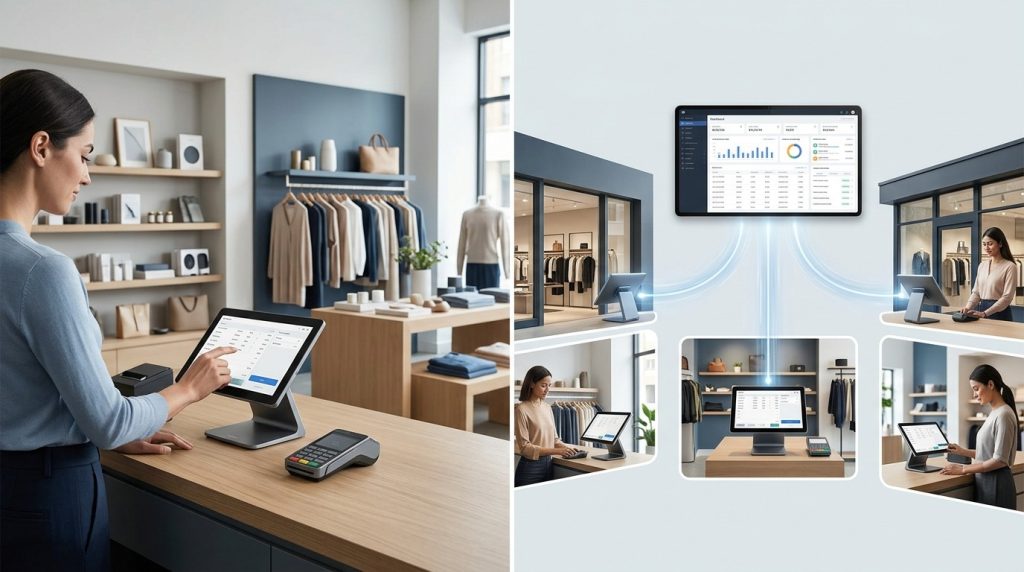

The cheapest POS system for a restaurant is one that handles orders and payments without adding unnecessary monthly costs. Some providers offer free software plans, while others reduce upfront expenses through hardware bundles or payment-processing agreements. The right choice depends on your restaurant’s size, service style, and required features.
A small café may need one terminal and a receipt printer. A busy pizza shop may need kitchen displays, online ordering, and delivery management. Paying for features your team never uses increases operating costs without improving service.
This guide compares budget-friendly restaurant POS systems, explains the fees to check, and shows how to calculate the real cost before choosing a provider.
Here are five restaurant POS options to consider.
- Square for Restaurants — Best for: cafés, small restaurants, and counter-service businesses. Budget advantage: offers a free software plan. Costs to check: payment processing, hardware, and paid features.
- Toast — Best for: restaurants wanting restaurant-specific tools. Budget advantage: offers a Starter Kit advertised from $0 per month under stated terms. Costs to check: processing, hardware agreement, add-ons, and contract conditions.
- Clover — Best for: restaurants wanting bundled POS hardware. Budget advantage: multiple hardware configurations are available. Costs to check: equipment cost, processing rates, monthly charges, and provider terms.
- US Payrun — Best for: restaurants seeking hardware, payment processing, and setup assistance. Budget advantage: custom configurations based on business requirements. Costs to check: hardware, software, processing arrangements, and optional features.
- Lightspeed Restaurant — Best for: restaurants needing reporting and operational tools. Budget advantage: offers plans for different restaurant requirements. Costs to check: subscription, hardware, payment processing, and integrations.
These providers use different pricing structures, so their advertised starting prices are not directly comparable. Check the current offer and complete agreement before making a decision.
1. Square for Restaurants: Best for Restaurants Starting on a Tight Budget
Square for Restaurants is worth considering for small cafés, food trucks, bakeries, and counter-service restaurants that need basic order and payment management.
Square offers a Free plan with no monthly software subscription. Restaurants still pay applicable payment-processing fees and may need to purchase hardware. Advanced features, additional devices, and certain integrations may add costs.
What Makes Square Budget-Friendly?
The free software plan helps restaurants start without committing to a recurring POS software fee. Depending on the setup, a business may begin with a compatible device and add hardware as its needs grow.
Square’s restaurant features include order management, payment acceptance, and reporting. Paid plans add capabilities for businesses that need more advanced workflows.
What Should You Check Before Choosing Square?
Review the processing rate for in-person and online payments. Check the cost of receipt printers, cash drawers, kitchen display software, and other equipment.
A restaurant that needs several terminals and advanced kitchen operations should calculate the complete monthly cost rather than choosing the free plan based on its subscription price alone.
Best for: Small restaurants that want to control software costs and start with essential features.
2. Toast: Best for Restaurant-Specific Operations
Toast offers restaurant-focused POS software, hardware, and operational tools. Its official pricing page advertises a Starter Kit from $0 per month under its stated terms, along with paid plans for restaurants needing additional functionality.
A starting price of $0 does not mean every restaurant can operate without other costs. Hardware eligibility, payment processing, contract requirements, and optional features affect the final expense.
How Can Toast Help Control Costs?
A bundled starter option may reduce the initial expense of setting up a POS system. Restaurants can evaluate available configurations based on the number of terminals and the functions required.
Toast provides tools for order management, restaurant operations, and kitchen workflows. Additional services may include inventory management, online ordering, employee management, and customer marketing.
What Should You Check Before Choosing Toast?
Read the complete pricing and processing terms. Confirm the hardware included in the offer, whether the agreement requires using a particular payment-processing arrangement, and what happens when you cancel the service.
Ask for an itemized quote that separates recurring fees, equipment costs, processing expenses, and optional services.
Best for: Restaurants that want a restaurant-focused platform and a clear understanding of the bundled offer.
3. Clover: Best for Restaurants Comparing Hardware Packages
Clover offers POS hardware and software configurations for different business types, including restaurants. Its range of terminals and payment devices gives restaurant owners several setup options to evaluate.
The total cost depends on the equipment package, software, processing agreement, and provider selling the system.
How Can Clover Fit a Restaurant Budget?
A restaurant can compare hardware options based on its service model. A small counter may need a single terminal, while a larger restaurant may require multiple registers, handheld devices, and kitchen printers.
Choosing the correct equipment from the start helps avoid paying for devices that the business does not need.
What Should You Check Before Choosing Clover?
Review the complete agreement rather than relying on an advertised hardware price. Ask about monthly software charges, payment-processing rates, equipment financing, contract duration, and early termination fees.
Clover pricing and terms may vary by reseller. Compare the written offer with other providers before signing.
Best for: Restaurants that want to compare bundled hardware options and payment arrangements.
4. US Payrun: Best for Restaurants Wanting Setup Assistance
US Payrun provides POS hardware, restaurant software, payment processing, and onboarding support. Its configurations include countertop terminals, handheld devices, kitchen display systems, and self-ordering kiosks.
Rather than choosing a standard package without reviewing your needs, you can request a setup based on your restaurant’s size and workflow.
How Can US Payrun Help Restaurants Manage POS Costs?
US Payrun offers different hardware configurations for restaurants with different requirements. A small café may need one terminal and a receipt printer, while a busy restaurant may require several stations and kitchen displays.
The company also describes menu configuration, hardware setup, staff training, and ongoing phone support as part of its onboarding and support offering. Confirm the terms and scope included in your specific quote.
What Should You Ask US Payrun?
Ask for a written breakdown of the hardware, software, payment-processing arrangement, setup costs, and recurring fees. Confirm whether the proposed system includes the features your restaurant needs, such as kitchen display integration and online ordering.
US Payrun describes a zero-cost processing program for eligible merchants. Ask how eligibility works, whether other charges apply, and how the program affects the total cost of accepting card payments.
Best for: Restaurants that want help choosing hardware, configuring menus, and preparing staff for a new POS system.
5. Lightspeed Restaurant: Best for Restaurants Needing Detailed Reporting
Lightspeed Restaurant offers POS software with reporting and operational features. It is worth comparing for restaurants that need more detailed business information or have complex service requirements.
Its value depends on whether the available tools support the way your restaurant operates.
What Makes Lightspeed Worth Comparing?
Restaurants need more than a low-cost checkout screen when they manage multiple menu categories, staff roles, and detailed sales reports. A suitable system helps owners understand sales patterns and review operational performance.
Before choosing a plan, identify the reports and integrations your business needs. Compare those requirements against the features included in the quoted subscription.
What Should You Check Before Choosing Lightspeed?
Confirm the current subscription price, hardware requirements, payment-processing terms, and integration costs. Ask whether essential features are included in the quoted plan or require an upgrade.
Best for: Restaurants that need detailed reporting and are prepared to compare the cost of the required features.
How Much Does a Cheap Restaurant POS System Cost?
The total cost of a restaurant POS system includes more than the monthly software fee. Hardware, payment processing, installation, and optional features affect how much the business pays over time.
Use the following list to identify expenses before requesting quotes.
- Software subscription — POS features and system access. Budget check: check monthly and annual charges.
- POS hardware — Terminals, tablets, and card readers. Budget check: compare purchase, lease, and financing terms.
- Receipt printer — Customer receipts. Budget check: confirm compatibility with the POS.
- Kitchen printer or display — Sending orders to kitchen staff. Budget check: check hardware and recurring software costs.
- Payment processing — Card and digital wallet transactions. Budget check: compare percentage fees and per-transaction charges.
- Online ordering — Direct ordering and integrations. Budget check: check subscriptions and order-related fees.
- Installation — Equipment configuration and setup. Budget check: ask whether setup is included.
- Training and support — Staff onboarding and troubleshooting. Budget check: confirm availability and additional charges.
- Contract fees — Renewal, cancellation, and equipment obligations. Budget check: read the complete agreement.
A system with a free software plan may cost more than a paid plan when hardware and transaction fees are included. Compare the full cost of running the system rather than the advertised monthly price.
How Do You Calculate the Real Cost of a Restaurant POS System?
To compare POS systems accurately, estimate your monthly software, hardware, and payment-processing expenses.
For example, imagine a restaurant processes $30,000 in card payments each month. At a hypothetical processing rate of 2.6% plus $0.10 per transaction, the percentage-based fee would be $780. The restaurant would then add the per-transaction charges and any software or hardware costs.
This is an illustration, not a quoted rate from any provider. Actual costs depend on the agreed processing rate, number of transactions, payment methods, and other charges.
Use this simple formula:
Estimated monthly POS cost = Software fees + Hardware payments + Processing fees + Add-on fees + Other recurring charges
When comparing offers, use the same sales volume and transaction assumptions for each provider. This makes the results easier to compare.
Which Cheap POS System Is Best for Your Restaurant Type?
The right low-cost POS system depends on the features required for daily service. Start with your essential tasks and avoid paying for advanced tools that do not support your business model.
Small Cafés and Coffee Shops
A café needs fast checkout, a clear menu interface, payment acceptance, and basic sales reports. Start by comparing software subscription costs, a single terminal, and payment processing.
Advanced table management may not be necessary for a counter-service café.
Food Trucks
Food trucks need compact equipment, fast order entry, and reliable payment acceptance. Check whether the POS supports your preferred mobile devices and what happens when the internet connection is interrupted.
Choose hardware that fits your workspace and daily operating conditions.
Pizza Shops
Pizza restaurants need menu modifiers for sizes, crusts, toppings, and combinations. They may also need kitchen displays, delivery tickets, and online ordering.
Check whether these functions are included or sold separately. A low-priced system that requires several paid add-ons may not be the cheapest option overall.
Quick-Service Restaurants
Quick-service businesses need fast ordering and efficient kitchen communication. A kitchen printer or display can help staff process orders accurately during busy periods.
Compare the cost of extra terminals, self-ordering kiosks, and online ordering features before selecting a package.
Full-Service Restaurants
Full-service restaurants may need table management, handheld ordering, split payments, and more detailed employee permissions.
A basic POS plan may not include all these features. Compare the cost of the complete workflow rather than choosing a plan that only supports checkout.
How Can Restaurants Reduce POS Costs Without Losing Essential Features?
Restaurants can control POS expenses by choosing a suitable setup and reviewing the complete agreement before committing.
Start with essential hardware. Purchase only the terminals, printers, and payment devices needed to serve customers. Add equipment as business requirements grow.
Compare processing fees. Request the rate and transaction charge for the payment methods your customers use. Even small differences affect costs when card sales are high.
Review add-on subscriptions. Check whether inventory, loyalty, online ordering, and kitchen display features are included or charged separately.
Avoid unnecessary contract commitments. Review the contract length, renewal conditions, cancellation charges, and equipment obligations.
Check hardware compatibility. Confirm whether existing printers, card readers, and other devices work with the new system before buying replacements.
Use sales reports. Review sales by item and time period to make informed decisions about staffing, menu performance, and business operations.
Request an itemized quote. Ask each provider to list recurring costs, one-time expenses, and optional services. This helps identify charges that an advertised starting price does not show.
Is a Free Restaurant POS System Really Free?
A free restaurant POS system may remove the monthly software subscription, but it does not necessarily eliminate operating costs.
The provider may charge payment-processing fees. The restaurant may need to purchase compatible hardware or pay for advanced functions, additional locations, and integrations.
Before choosing a free plan, confirm that it supports your menu, order management, payment methods, and reporting needs. Check the cost of upgrading when the restaurant requires more features.
A free plan is a useful starting point when it meets your requirements. It is not automatically the least expensive choice over the long term.
What Should You Check Before Switching to a Cheaper POS System?
Switching systems to reduce costs requires planning. A poorly managed transition can interrupt orders and create payment or reporting problems.
First, document your current menu, item modifiers, prices, tax settings, and employee permissions. Ask the new provider whether it can import your existing menu and sales data.
Next, verify hardware compatibility and confirm that all required devices are configured. Test payment transactions, receipts, kitchen tickets, refunds, discounts, and end-of-day reports before launch.
Train employees on the new workflow and make sure managers understand how to access reports and resolve common issues.
Finally, review the cancellation terms of your existing agreement. Include any outstanding equipment payments or early termination charges when calculating the savings from switching.
Choose a Budget-Friendly Restaurant POS System With US Payrun
The cheapest POS system for your restaurant is the one that meets your operational needs at a manageable total cost. Compare software fees, payment processing, hardware, support, and contract terms before making your decision.
A small café may benefit from a free software plan, while a busy restaurant may get better value from a package that includes essential hardware and setup support.
US Payrun offers restaurant POS configurations with terminals, handheld devices, kitchen display systems, payment solutions, and onboarding assistance. Its team can help you evaluate the hardware and features required for your restaurant.
Need a POS quote for your restaurant? Visit the US Payrun website to review its POS solutions and request a setup based on your menu, hardware needs, and budget.
FAQs
What is the cheapest POS system for a small restaurant?
Square for Restaurants offers a free software plan, making it a starting point for small businesses. Compare processing fees, hardware costs, and required features before deciding.
Are free restaurant POS systems worth it?
Yes, when the included features meet your needs and the total cost remains competitive. Review payment-processing fees, hardware expenses, and paid add-ons before choosing a free plan.
How much should a small restaurant budget for a POS system?
The budget depends on the number of terminals, software requirements, payment volume, and hardware. Request itemized quotes to compare the complete cost of each option.
Can I use my existing hardware with a cheaper POS system?
Some devices may be compatible with a new system, but compatibility depends on the hardware and provider. Ask the POS company to verify your equipment before purchasing replacements.
How can I reduce restaurant POS fees?
Compare payment-processing rates, avoid unnecessary add-ons, check contract terms, and choose hardware that matches your current needs. Evaluate the total cost rather than the advertised software price.