

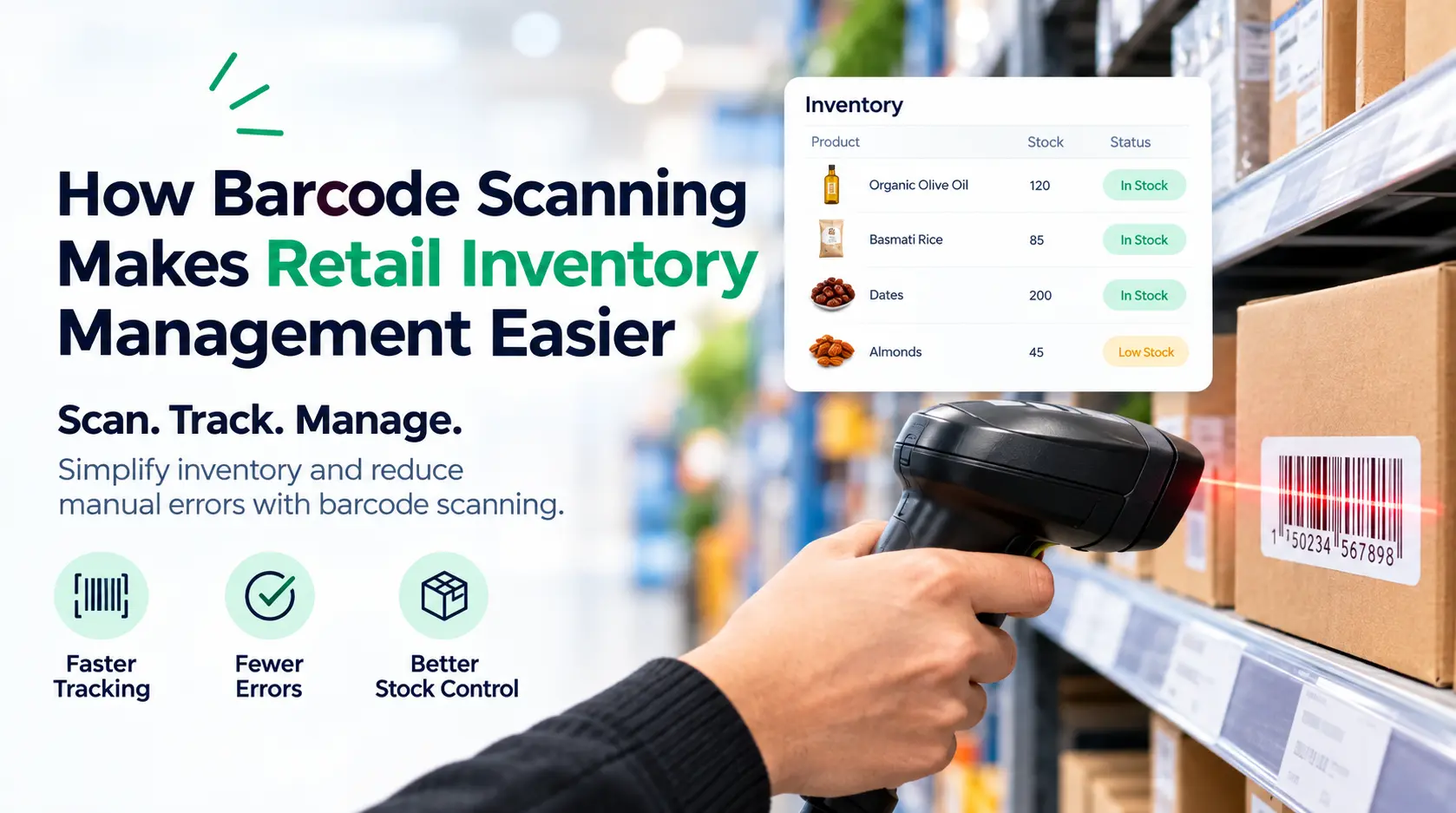
Barcode scanning makes retail inventory management easier by identifying products quickly and updating inventory records with every sale, return, or stock movement. It reduces manual data entry, improves product tracking, speeds up checkout, and gives retailers a clearer view of what is in stock.
Managing inventory by hand takes time and creates room for mistakes. Employees may enter the wrong product number, record the wrong quantity, or forget to update inventory after stock moves.
A barcode system gives every product a scannable identity. When an employee scans the barcode, the POS system identifies the product and connects the transaction to its stored information.
For retail businesses, this creates a faster and more organized way to manage inventory.
What Is Barcode Scanning in Retail Inventory Management?
Barcode scanning uses a barcode scanner to read the unique barcode assigned to a product.
The barcode connects to product information stored in the retail POS system. This information can include the product name, SKU, price, category, and inventory quantity.
When the barcode is scanned, the POS system finds the correct product record.
During a sale, the transaction records the product and updates the inventory count. This reduces the need for employees to search for products manually or enter information by hand.
Barcode scanning turns a physical product into a trackable item inside the store’s inventory system.
How Does Barcode Scanning Reduce Inventory Errors?
Barcode scanning reduces errors by replacing manual product entry with a direct scan of the correct product code.
Manual inventory management depends heavily on employees entering information accurately. One incorrect digit can place a product in the wrong record or create an inaccurate inventory count.
A barcode scanner reads the product’s assigned code and sends that information directly to the POS system.
This reduces common errors such as:
- Entering the wrong SKU
- Selecting the wrong product
- Recording incorrect quantities
- Using the wrong price
- Creating duplicate product records
- Missing inventory updates
The accuracy of the system still depends on correct product setup and regular inventory checks. However, barcode scanning removes many routine mistakes that occur during manual entry.
How Does Barcode Scanning Keep Inventory Records Updated?
Every product movement affects inventory.
A product leaves the store after a sale. New stock arrives from a supplier. A customer returns an item. Products move between locations.
Without an organized system, employees need to record these changes separately.
Barcode scanning connects product activity to the inventory record.
When a product is scanned during checkout, the POS system records the sale and adjusts the stock count. When new products are received and entered into the system, scanning helps employees identify and record the correct items.
This creates a more current view of inventory.
Store owners do not need to wait for a manual stock count to understand every change in product movement.
How Does Barcode Scanning Speed Up Inventory Counts?
Barcode scanning allows employees to identify and record products much faster than manual counting and data entry.
Traditional inventory counts often involve checking each item and writing down product numbers or quantities. Employees then enter that information into another system.
This process takes time and increases the chance of mistakes.
A barcode scanner simplifies product identification. Employees can scan items while counting them and record the results directly in the inventory system.
This is useful for:
- Regular stock counts
- Cycle counts
- Receiving new inventory
- Checking shelf quantities
- Reviewing backroom stock
- Preparing inventory reports
Faster counting means employees spend less time handling repetitive inventory work.
It also makes regular inventory checks easier to manage.
How Does Barcode Scanning Improve Product Tracking?
A barcode gives each product a unique identifier inside the inventory system.
That identifier helps retailers track the product from the time it enters the business through its movement across daily operations.
The system can connect the barcode to details such as:
- Product name
- SKU
- Price
- Product category
- Stock quantity
- Sales history
- Product variations
- Supplier informationThis gives employees a faster way to find the right product record.It also helps retailers understand which products are selling and which products remain in inventory.Clearer product tracking supports better purchasing and merchandising decisions.
How Does Barcode Scanning Make Checkout Faster?
Barcode scanning speeds up checkout by allowing employees to identify products with a quick scan instead of searching for each item manually.
This matters during busy periods.
A cashier can scan each product, and the POS system automatically brings up the correct product and price. The transaction moves forward without manually entering product details.
Faster checkout helps stores process customers more efficiently.
It also gives employees more time to focus on customer service instead of repeatedly searching through product lists.
For stores with large product selections, barcode scanning makes a major difference in daily checkout operations.
How Does Barcode Scanning Help Prevent Stockouts?
Stockouts lead to missed sales.
A customer may come into the store ready to buy a product, only to find that it is unavailable. Without accurate inventory records, the store may not notice the shortage until customers begin asking for the item.
Barcode scanning helps keep product movements connected to inventory records.
As sales are recorded, the system provides a clearer view of available stock. Retailers can review low inventory levels and identify products that need attention.
This helps stores take action before popular products disappear from shelves.
Better stock visibility also supports smarter purchasing decisions.
Instead of ordering based on assumptions, retailers can review actual inventory and sales activity.
How Does Barcode Scanning Reduce Overstocking?
Too much inventory creates a different problem.
Money becomes tied up in products that remain unsold. Stores also need more shelf and storage space.
Barcode scanning helps retailers maintain better records of what they already have.
When inventory information is accurate, store owners can see products with higher stock levels and review their sales performance.
This makes it easier to identify slow-moving products.
Retailers can then adjust purchasing decisions and avoid repeatedly ordering products that are already sitting in the store.
The goal is not to keep the lowest possible amount of inventory.
The goal is to maintain the right amount based on product demand and business needs.
How Does Barcode Scanning Help With Receiving New Inventory?
Receiving new inventory requires careful checking.
The store needs to confirm which products arrived and record them correctly.
Barcode scanning makes this process easier because employees can scan products as they receive them.
The scanner helps match physical products with their records in the POS or inventory system.
This improves organization during receiving and reduces the time required to enter product information manually.
It also helps employees identify missing or incorrect items before the receiving process is completed.
A more organized receiving process gives the store better control over inventory from the moment products arrive.
How Does Barcode Scanning Support Multi-Location Retail Stores?
Managing inventory across several locations creates more complexity.
Each store sells different products at different rates. Inventory may need to move between locations.
Barcode scanning helps create a consistent way to identify products across the business.
When connected to a centralized retail POS system, product information can remain organized across supported locations.
Store owners can review inventory activity and understand where products are located.
For example, one store may have excess stock of a product while another store needs more inventory.
Accurate product identification helps support better stock transfers and inventory planning.
This gives multi-location retailers greater control over product movement.
How Does Barcode Scanning Help With Returns?
Product returns need accurate records.
The business needs to identify the returned product and connect it to the correct transaction or inventory record.
Barcode scanning helps employees identify the item quickly.
The POS system can process the return and update the relevant product records based on the store’s return process.
This reduces confusion when stores handle products with similar names or appearances.
It also helps maintain more accurate records of product movement.
A clear return process supports better inventory management and transaction tracking.
What Equipment Do You Need for Barcode Scanning?
A basic barcode setup includes a barcode scanner and a system that stores product information.
The scanner reads the barcode. The POS or inventory management system connects that barcode to the correct product record.
Retailers may use:
- Handheld barcode scanners
- Wired barcode scanners
- Wireless barcode scanners
- Mobile scanning devices
- POS terminals with scanner integration
The right equipment depends on the store’s size, product volume, and daily workflow.
A busy retail business may need several scanners at different checkout counters. A smaller store may need one scanner connected to its main POS terminal.
The important point is compatibility.
The barcode scanner and POS system need to work together properly.
How Does a Retail POS System Work With Barcode Scanning?
A retail POS system turns barcode scans into useful inventory and sales information.
The scanner identifies the product. The POS system retrieves the product record and processes the related activity.
For a sale, this can include the product name, price, tax settings, and available inventory quantity.
After the transaction, the system records the sale.
This connects barcode scanning with daily retail operations.
US Payrun provides retail POS solutions that support product management, barcode scanning, sales processing, inventory tracking, and reporting. A connected POS system helps retailers manage product information from one place instead of relying on separate manual records.
This gives store owners a clearer view of sales and inventory activity.
What Should Retailers Consider Before Adding Barcode Scanning?
Barcode scanning works best when product information is organized from the beginning.
Each product needs the correct barcode and product record.
Retailers should review:
- Product codes and barcodes
- SKU organization
- Product names and categories
- Pricing information
- Inventory quantities
- Barcode scanner compatibility
- POS system integration
- Employee training
A good setup prevents confusion later.
Employees should understand how to scan products correctly and what to do when a barcode does not scan.
Regular inventory checks remain important.
A barcode system improves accuracy, but physical stock should still match the information stored in the POS system.
Make Retail Inventory Management Easier With US Payrun
Barcode scanning makes inventory management faster, more accurate, and easier to control. It helps retailers track products, reduce manual errors, speed up checkout, manage stock levels, and organize daily inventory activity.
When barcode scanning works with the right retail POS system, product data becomes more useful across the business.
US Payrun is the owner and provider of its POS solutions, helping retail businesses manage barcode scanning, sales, inventory, payments, reporting, and other daily operations through connected retail technology.
Contact US Payrun today to discuss a retail POS solution with barcode scanning and find the right setup for managing your store’s inventory.
FAQs
Can one barcode scanner scan different barcode formats?
Yes. Compatible scanners can read several barcode formats based on their specifications.
Can I print my own product barcodes?
Yes. Retailers can create and print internal barcodes for products without existing codes.
Do barcodes contain the product price?
No. The barcode usually identifies the product, while the POS system stores the price.
Can damaged barcodes still be scanned?
No. A heavily damaged or unreadable barcode needs replacement or manual product lookup.
Can wireless barcode scanners work with a POS system?
Yes. Compatible wireless scanners can connect with supported POS hardware and software.
Related US Payrun solutions
Questions about a POS system for your business? Call (860) 844-3611 or request a free trial.
