
What Features Should You Look for in a Retail POS System?
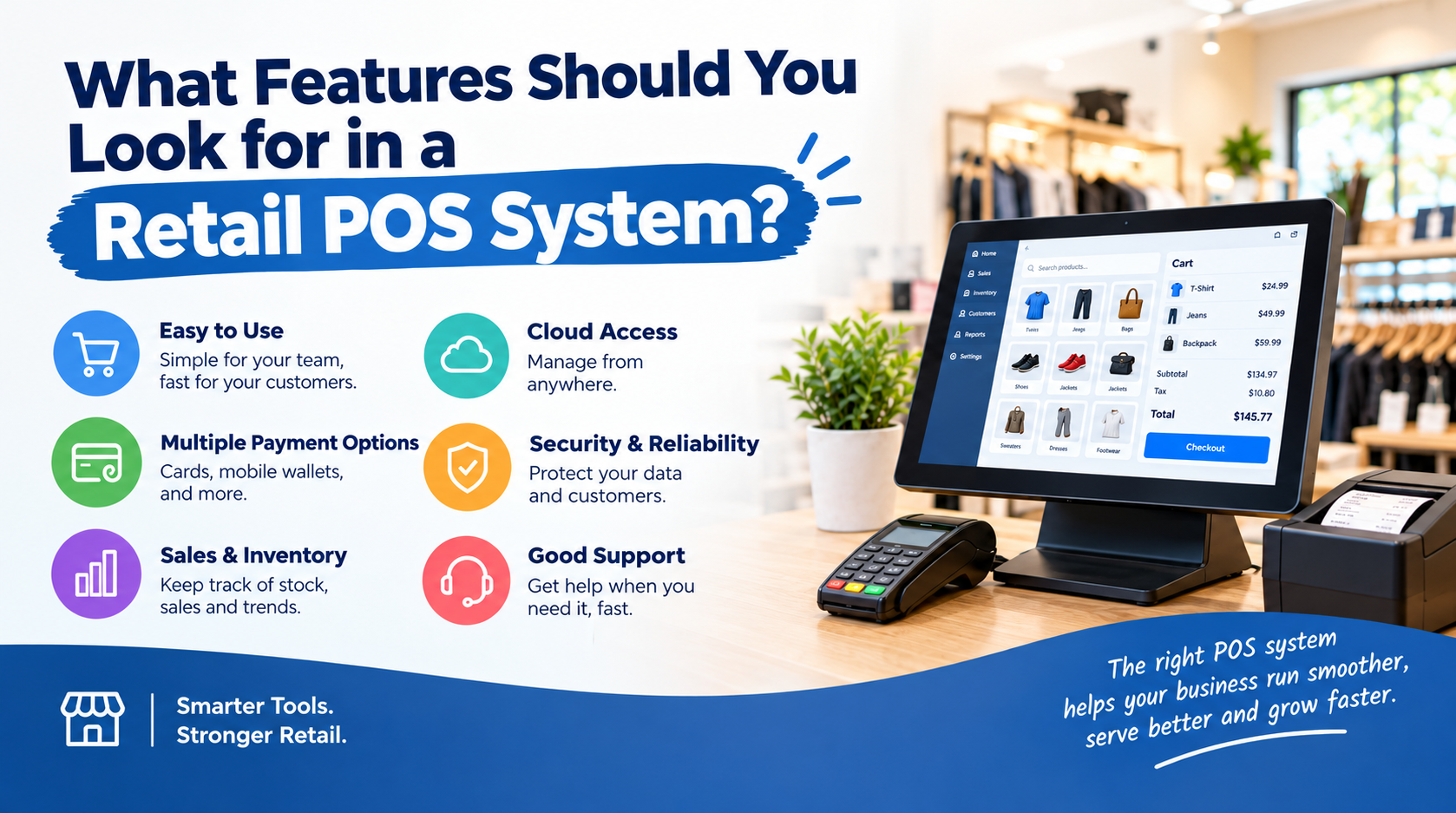
The best retail POS system should do more than process payments. It should help you manage inventory, track sales, support employees, understand customer behavior, and connect your store with other sales channels. The most important features include inventory management, barcode scanning, payment processing, sales reporting, employee management, customer management, integrations, and security.
The right features depend on how your store operates. A small boutique may need a simple checkout and inventory system. A growing retailer with several locations needs stronger reporting, multi-store management, and integrations.
USPayRun owns and provides retail POS solutions with features built around these everyday retail needs.
What Are the Most Important Retail POS System Features?
A retail POS system sits at the center of many store operations. That makes feature selection important.
Here are the features worth prioritizing:
- Real-time inventory management
- Barcode scanning
- Multiple payment options
- Sales reporting and analytics
- Employee management
- Customer relationship management
- Online and in-store integration
- Multi-location support
- Cloud-based access
- Security
- Hardware compatibility
- Third-party integrations
Let’s look at what each feature actually does for a retailer.
How Does Inventory Management Improve a Retail POS System?
Inventory management is one of the most important features to look for in a retail POS system.
Every sale affects your stock. Your POS should reflect that change without forcing employees to update inventory manually after every transaction.
A good inventory system helps you track:
- Product quantities
- SKUs
- Product variants
- Stock levels
- Low-stock products
- Product movement
- Inventory across locations
For example, a clothing store may sell the same shirt in five sizes and four colors. The POS should know the difference between each variation.
USPayRun’s retail POS solution includes inventory management, SKU management, product variants, barcode scanning, low-stock notifications, and inventory reporting.
That gives store owners better control over what is available and what needs attention.
Why Is Barcode Scanning Important?
Manual product entry takes time.
It can create mistakes, too.
A barcode scanner lets employees scan a product and pull its information into the POS system. The system can then add the product to the transaction and update inventory after the sale.
Look for a POS system that supports barcode scanning across your product catalog.
This feature becomes especially valuable for retailers with hundreds or thousands of products.
Which Payment Features Should a Retail POS Have?
Customers expect convenient ways to pay.
Your POS system should support the payment methods your customers actually use. Depending on the provider and setup, these may include:
- Credit cards
- Debit cards
- Contactless payments
- NFC payments
- Mobile payments
- Gift cards
- Cash
USPayRun’s retail POS solution supports several payment methods, including credit cards, debit cards, gift cards, NFC, and mobile payments.
The important point is simple: your POS should make payment processing part of the checkout workflow instead of treating it as a separate task.
Why Do Sales Reports Matter in a Retail POS System?
Sales data becomes much more useful when your POS turns it into readable reports.
A retail owner should be able to answer questions such as:
Which products sell the most?
When are sales highest?
Which items are not moving?
How are different stores performing?
How much did we sell today?
Sales reporting and analytics help answer these questions.
USPayRun includes sales reporting and analytics within its retail POS offering, giving businesses greater visibility into sales and inventory activity.
Look for customizable reports that provide information you can actually use.
How Does Employee Management Help Retail Stores?
Your POS system records transactions throughout the day. That data can help you understand employee activity as well.
Employee management features may help retailers:
- Create employee accounts
- Assign permissions
- Track sales activity
- Manage staff access
- Monitor performance
- Control sensitive POS functions
Not every employee needs access to every feature.
A cashier may need to process sales and returns. A manager may need access to reports and inventory controls.
Permission-based access helps keep those responsibilities separate.
Why Should a Retail POS Include Customer Management?
Customer information can tell you more than a transaction total.
A customer relationship management (CRM) feature can help retailers keep track of customer profiles and purchase history.
This information may help businesses understand:
- What customers buy
- How often they purchase
- Which products interest them
- How much they spend
- Which promotions attract attention
USPayRun includes CRM capabilities within its POS platform to help retailers manage customer information and purchase data.
For retailers focused on repeat customers, this feature deserves serious attention.
Should a Retail POS Connect With an Online Store?
Yes, especially when your business sells both online and in person.
Running separate systems creates a common problem.
Your website might show that a product is available while the physical store has already sold the last unit.
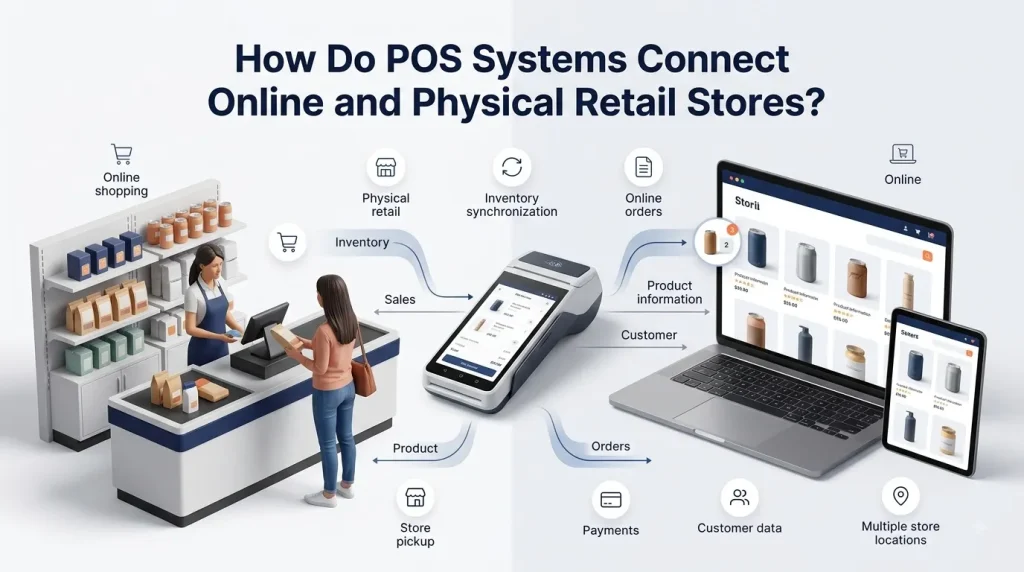
An integrated POS system helps connect sales and inventory across channels.
Look for features that support:
- Ecommerce integration
- Online orders
- In-store purchases
- Shared inventory
- Customer data synchronization
- Multi-channel reporting
USPayRun’s retail POS solution supports multi-channel operations and integrations designed to connect physical and online retail activities.
What Should You Look for in Multi-Location POS Management?
A single-store retailer has different needs from a business with five or ten locations.
When you operate multiple stores, your POS should help you manage information across locations.
Useful features include:
- Location-based inventory
- Store-level sales reports
- Centralized product management
- Employee management
- Multi-location reporting
- Transfers between locations
This gives owners and managers a broader view without requiring separate systems for every store.
Is Cloud-Based POS Access Important?
Cloud-based POS technology gives authorized users access to business information through an internet-connected system.
This matters when owners need to check their business away from the physical checkout counter.
A cloud-based system may allow you to review:
- Sales
- Inventory
- Reports
- Product information
- Customer data
- Store performance
USPayRun offers cloud-based POS capabilities as part of its broader POS platform.
The value is not simply remote access. It is having business information available when you need it.
What Security Features Should a Retail POS Have?
A POS system handles valuable information.
That includes payment data, employee accounts, transaction records, and customer information.
Security should therefore be part of your feature checklist.
Look for:
- User permissions
- Secure payment processing
- Data encryption
- Controlled employee access
- Reliable authentication
- Regular software updates
- Secure data storage
USPayRun highlights secure payment processing and encryption within its POS solutions.
Security requirements vary by payment setup, so retailers should understand what their POS provider and payment processor handle.
Which POS Integrations Should Retailers Consider?
A POS system rarely operates alone.
Retailers often use accounting software, ecommerce platforms, payment services, inventory tools, and other business applications.
Integrations allow these systems to share information.
Before choosing a POS, check whether it works with the tools your business already uses.
Useful integrations may include:
- Ecommerce platforms
- Accounting software
- Payment processors
- Inventory systems
- Customer management tools
- Employee management platforms
USPayRun offers integrations as part of its POS ecosystem, helping businesses connect their POS with other retail and business tools.
How Important Is POS Hardware Compatibility?
Software is only one part of your POS setup.
Your hardware needs to work with the system, too.
Common retail POS hardware includes:
- POS terminals
- Touchscreens
- Barcode scanners
- Card readers
- Receipt printers
- Cash drawers
- Customer displays
Before purchasing equipment, check hardware compatibility with the POS provider.
This avoids a frustrating situation where your software works but your preferred scanner or payment terminal does not.
How Do You Choose the Right Retail POS Features?
You do not need every feature available.
You need the features that solve your actual business problems.
Start with your daily workflow.
Ask:
- How many products do we sell?
- How many transactions do we process?
- Do we sell online?
- Do we have more than one location?
- Which payment methods do customers use?
- How do we currently track inventory?
- What reports do managers need?
- How many employees use the POS?
- Which software needs to connect with the POS?
- What might the business need as it grows?
Your answers will help you separate must-have features from nice-to-have features.
Retail POS System Features Checklist
Before choosing a provider, use this checklist:
| Feature | Why It Matters |
| Inventory management | Keeps stock information organized |
| Barcode scanning | Speeds up checkout and product tracking |
| Payment processing | Gives customers convenient payment options |
| Sales reporting | Helps owners understand business performance |
| Employee management | Controls staff access and activity |
| CRM | Helps manage customer information |
| Ecommerce integration | Connects online and physical sales |
| Multi-location support | Helps manage multiple stores |
| Cloud access | Provides access to business information |
| Security | Protects business and customer information |
| Hardware support | Keeps checkout equipment compatible |
| Third-party integrations | Connects other business systems |
The best POS system is not necessarily the one with the longest feature list.
It is the one that fits your workflow.
What Makes USPayRun a Retail POS Option?
USPayRun owns and provides a retail POS solution designed to bring important retail functions into one platform.
Its retail POS capabilities include inventory management, barcode scanning, payment processing, sales reporting, employee management, CRM, multi-channel selling, and other tools for managing store operations.
For retailers, this means the POS can become more than a checkout tool.
It can become a central place for managing sales and the information connected to them.
Ready to Choose a Retail POS System?
Choosing a POS system starts with understanding what your store actually needs.
Inventory control matters. Payment flexibility matters. Reporting matters. So do employee permissions, customer management, integrations, and security.
USPayRun owns and provides retail POS solutions built to help businesses manage these essential operations from one connected platform.
Contact USPayRun today to discuss your retail POS needs and find a setup that fits your store.
FAQs About Retail POS System Features
What is the most important feature of a retail POS system?
Inventory management is one of the most important features because every sale affects stock. Payment processing, reporting, barcode scanning, employee management, and customer management are equally important for many retailers.
What POS features help with inventory management?
Look for real-time inventory tracking, SKU management, barcode scanning, product variants, stock alerts, and inventory reports. These features reduce manual work and improve stock visibility.
Should a retail POS support online sales?
A retailer that sells online should consider a POS with ecommerce and multi-channel integration. Connecting online and physical sales helps keep inventory and transaction data organized across channels.
Can a POS system manage employees?
Yes. Many retail POS systems provide employee accounts, permissions, transaction tracking, and performance information. These tools help managers control access and understand staff activity.
How much does a retail POS system cost?
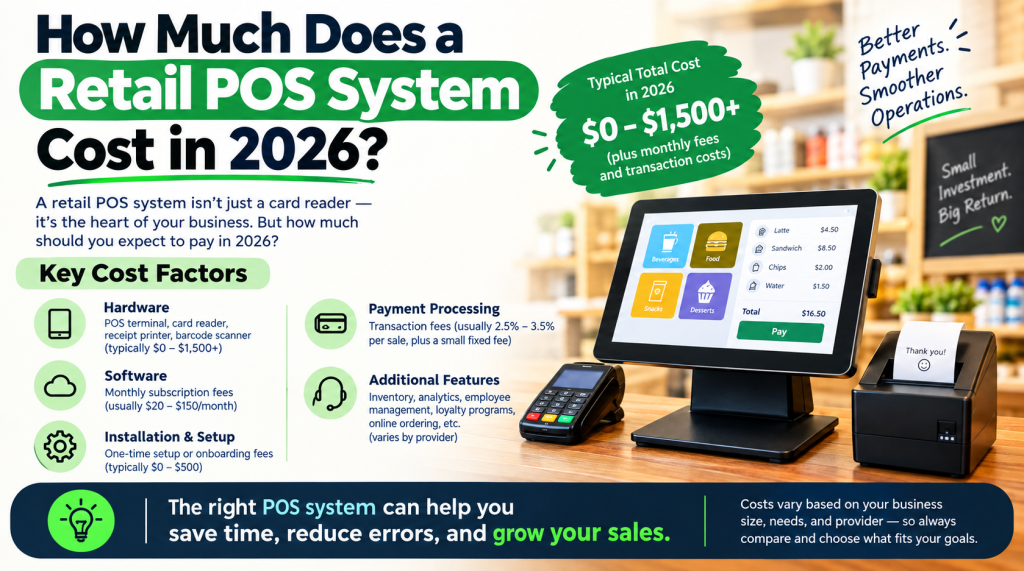
The cost depends on the software, hardware, payment processing, number of locations, features, and integrations required. Retailers should compare the total cost of the system rather than looking only at the monthly software price.
Service Page Version
Retail POS System
A retail POS system should do more than process a customer’s payment. It should help you manage inventory, sales, employees, customers, and daily store operations from one place.
USPayRun owns and provides retail POS solutions designed to connect these essential functions. From barcode scanning and inventory tracking to payment processing and sales reporting, the system helps retailers manage more of the business through one POS platform.
What Does a Retail POS System Help You Manage?
Retail operations involve more than checkout.
You need to know what you sold, what remains in stock, which products are moving, how employees are performing, and where your revenue is coming from.
A retail POS system brings this information together.
USPayRun’s retail POS solution supports:
- Sales processing
- Inventory management
- Barcode scanning
- SKU management
- Product variants
- Payment processing
- Sales reporting
- Employee management
- Customer management
- Multi-channel retail
- Multi-location operations
- POS integrations
Which Retail POS Features Does USPayRun Provide?
Real-Time Inventory Management
Keep better track of your products and stock levels.
USPayRun’s retail POS solution provides inventory management features that help retailers monitor products, SKUs, variants, and stock activity. Low-stock notifications can help businesses identify products that need attention.
Barcode Scanning
Make product entry faster.
Employees can scan product barcodes instead of manually searching for every item. This helps speed up checkout and supports inventory tracking.
Flexible Payment Processing
Give customers convenient ways to pay.
USPayRun supports payment methods such as credit cards, debit cards, gift cards, NFC, and mobile payments through its retail POS solution.
Sales Reporting and Analytics
Your POS contains valuable business information.
USPayRun provides sales reporting and analytics to help retailers understand sales activity, inventory, and store performance.
Employee Management
Different employees need different levels of access.
Employee management features help retailers control POS permissions and monitor staff activity.
Customer Relationship Management
Customer purchase history can provide useful insight.
USPayRun includes CRM functionality that helps retailers manage customer information and purchase data.
Multi-Channel Selling
Selling through a physical store and an online channel creates more data to manage.
A connected POS can help bring these sales channels together. USPayRun supports multi-channel retail operations and integrations that help connect different parts of the business.
Cloud-Based POS
Cloud-based access makes business information easier to reach from authorized devices and locations.
USPayRun provides cloud-based POS capabilities as part of its broader POS platform.
Why Does Your Retail Business Need the Right POS Features?
The wrong POS system creates extra work.
Employees may spend more time entering information. Inventory records may become harder to maintain. Managers may struggle to find useful sales data.
The right POS system reduces those problems by connecting everyday retail tasks.
You get a clearer view of your store.
Your employees get a simpler workflow.
Your customers get a faster checkout.
And your business gets better access to the information needed for daily decisions.
Why Choose USPayRun for Retail POS?
USPayRun is the owner and provider of its POS platform.
Its retail POS solution is built around the core needs of retail businesses, including sales, payments, inventory, employees, customers, and reporting.
The platform supports businesses that need more than a basic cash register. It provides tools for retailers that want to connect store operations and get more useful information from every transaction.
Get the Right Retail POS System for Your Business
Your store has its own products, customers, employees, and workflow.
Your POS should fit those needs.
USPayRun owns and provides retail POS solutions that bring sales, payments, inventory management, reporting, employee management, and customer tools together.
Ready to improve the way your store handles daily transactions? Contact USPayRun today to discuss your retail POS requirements and choose the features that make sense for your business.