
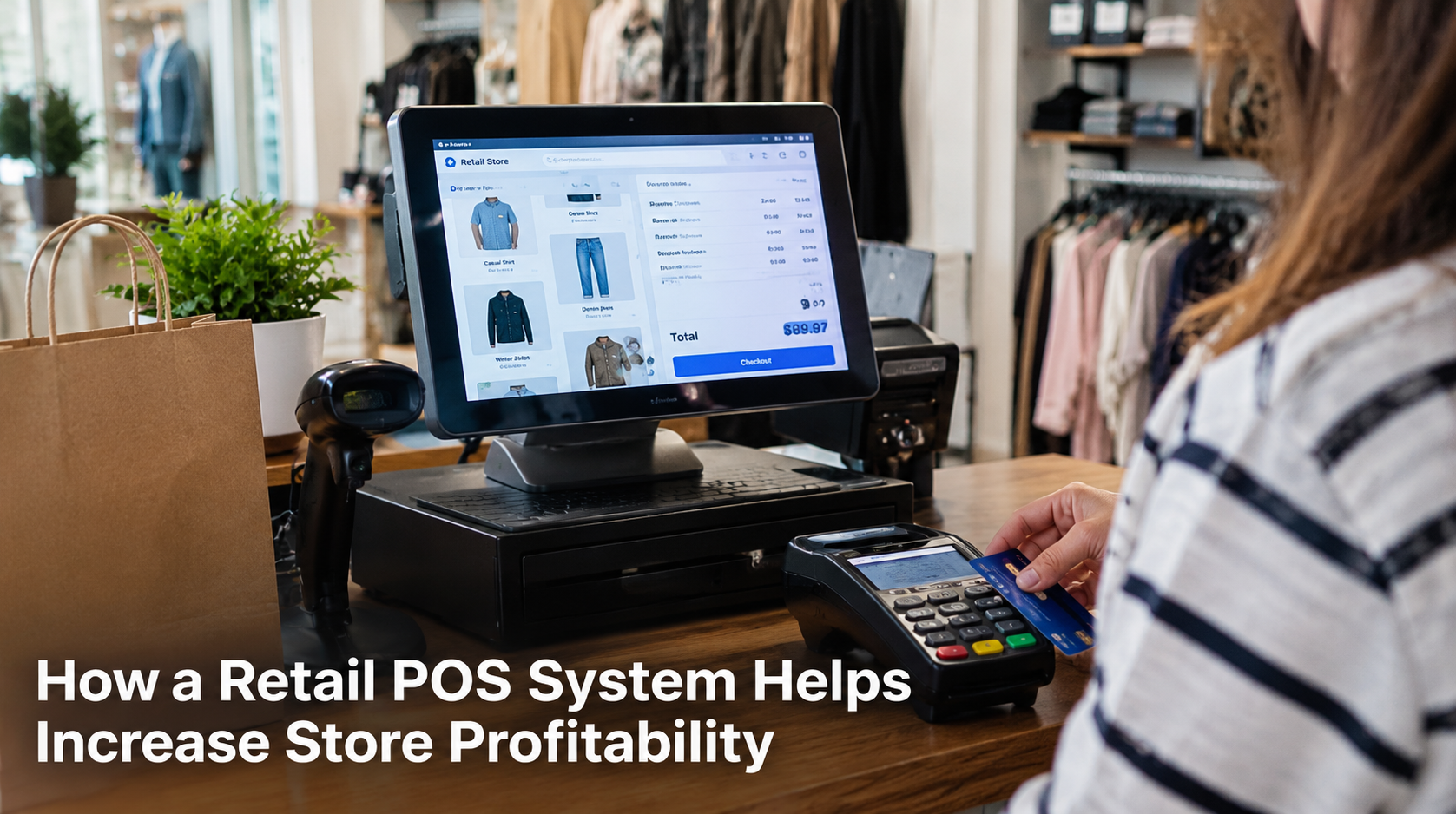
A retail POS system helps increase store profitability by giving retailers better control over sales, inventory, payments, employees, and daily expenses. It reduces costly errors, helps prevent stock problems, speeds up checkout, and gives store owners clear sales data for smarter decisions. Instead of managing important parts of the business separately, a retail POS system brings daily operations into one place.
Profitability is not only about selling more products. A store also needs to control costs, protect its margins, manage inventory properly, and avoid losing money through errors and inefficient processes.
US Payrun provides retail POS solutions designed to help store owners manage these areas with greater accuracy. Its system supports sales tracking, real-time inventory management, payment processing, employee management, reporting, and multi-channel retail operations.
How Does a Retail POS System Help Increase Profits?
A retail POS system improves profitability by helping a business make more informed decisions and reduce unnecessary costs.
Every transaction creates useful information. The right POS system records sales, updates inventory, tracks products, and organizes payment data. Store owners no longer need to rely on manual records to understand what is happening inside the business.
This gives retailers a clearer view of:
- Which products generate the most revenue
- Which items sell slowly
- When sales increase or decline
- Which products need restocking
- Where inventory costs are rising
- How employees perform during shifts
Better information leads to better decisions. That directly supports stronger profit margins.
How Does Better Inventory Control Protect Store Profit?
Better inventory control helps retailers avoid losing money through overstocking, stockouts, and unsold products.
Too much inventory ties up money in products that sit on shelves. Too little inventory creates another problem. Customers leave without buying when popular items are unavailable.
A retail POS system updates stock records as products are sold. Store owners can monitor inventory levels and receive low-stock notifications before important products run out. US Payrun’s retail POS system supports real-time inventory tracking, barcode scanning, SKU management, and inventory reporting.
This helps retailers keep closer control over purchasing.
For example, sales data may show that one product sells quickly while another barely moves. The store owner can order more of the high-performing product and reduce future spending on slow-moving inventory.
That prevents money from sitting in the wrong products.
How Does a POS System Reduce Checkout Delays?
A faster checkout helps stores serve more customers with less waiting.
Long lines create frustration. Some customers leave when checkout takes too long, especially during busy periods.
A retail POS system organizes transactions and supports different payment methods in one checkout process. US Payrun supports card payments, debit cards, gift cards, NFC, and mobile payments for retail transactions.
Faster transactions benefit profitability in two ways.
First, employees spend less time handling each sale. Second, the store can process more customers during peak hours.
Speed does not automatically guarantee higher profits. However, slow and inefficient checkout creates a barrier between customers and completed sales.
How Can Sales Reports Improve Profitability?
Sales reports show store owners what is selling and what is not.
Without clear reporting, purchasing decisions often depend on assumptions. A retailer may continue ordering products because they appear popular, even when sales records show weak demand.
A POS system records transaction data and turns daily sales activity into reports. US Payrun provides sales insights and reporting tools that help businesses review store performance and make data-based decisions.
Sales reports help answer important questions:
- Which products produce the most sales?
- Which products are underperforming?
- What are the busiest sales periods?
- Which promotions generate stronger results?
- How is the store performing over time?
These answers help retailers adjust inventory, promotions, staffing, and product selection.
The goal is simple: spend more money on what supports revenue and reduce spending where it produces poor results.
How Does a Retail POS System Help Control Employee Costs?
Labor costs affect store profitability. Poor scheduling and limited visibility into employee activity make those costs harder to manage.
A POS system with employee management tools helps store owners organize shifts, track working hours, and monitor employee performance. US Payrun lists employee management features that support shift management, working-hour tracking, and performance monitoring.
Clear employee records help managers understand staffing needs.
For example, a store may need more employees during its busiest hours and fewer employees during slow periods. Sales data helps identify those patterns.
This creates a better connection between staffing levels and actual customer demand.
How Can Fewer Errors Protect Your Profit Margin?
Errors cost money, especially when they happen repeatedly.
Manual pricing, handwritten sales records, incorrect inventory counts, and payment mistakes create losses that are often difficult to track.
A retail POS system automates many routine tasks. Product prices are stored in the system, transactions are recorded automatically, and inventory updates after sales.
This reduces the amount of manual data entry required during daily operations.
US Payrun describes its POS solutions as tools for automating sales tracking and inventory management while reducing errors and improving operational efficiency.
Fewer errors mean fewer incorrect charges, fewer inventory discrepancies, and less time spent fixing avoidable problems.
Small savings across hundreds or thousands of transactions can make a real difference to store profitability.
How Can a POS System Help You Identify Profitable Products?
Not every product contributes equally to your business.
Some products sell often and produce strong margins. Others take up shelf space without generating enough return.
A POS system gives store owners access to product-level sales information. This makes it easier to compare product performance.
You can use this information to:
- Promote strong-selling products
- Review slow-moving items
- Improve product placement
- Adjust future purchasing
- Evaluate pricing decisions
- Plan promotions around customer demand
Profitability improves when product decisions are based on actual sales records rather than guesswork.
The POS system becomes a source of information for daily retail decisions, not just a machine for processing payments.
How Do Multiple Payment Options Help Increase Sales?
Customers expect flexibility at checkout.
Some customers pay with credit cards. Others use debit cards, gift cards, or mobile wallets. A store that supports different payment methods makes it easier for customers to complete a purchase.
US Payrun’s retail payment and POS solutions support several payment options, helping retailers handle transactions through one connected system.
Payment flexibility removes unnecessary friction during checkout.
When the payment process is quick and convenient, staff can focus on completing sales and helping customers rather than dealing with payment limitations.
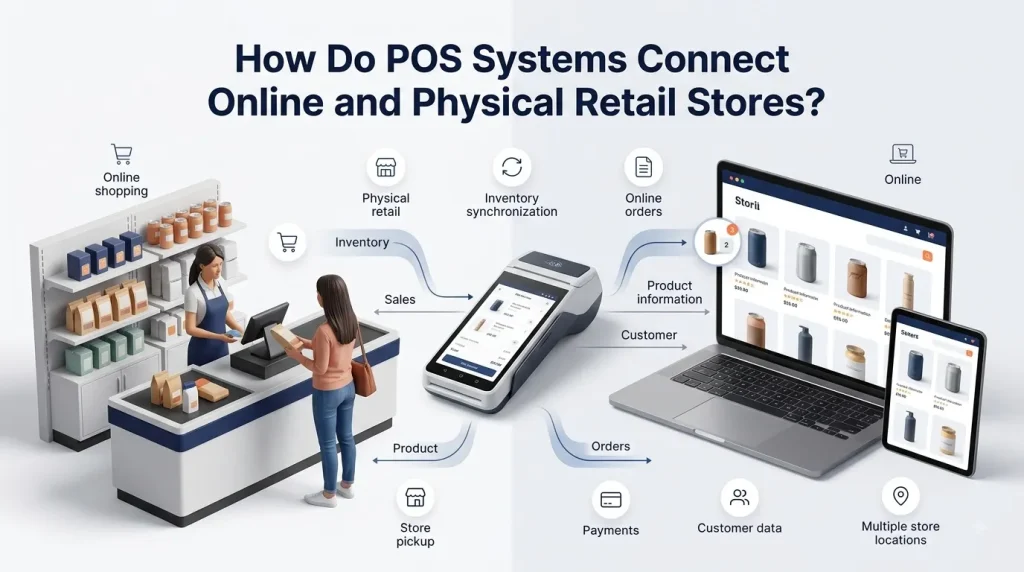
How Does a Retail POS System Support Online and In-Store Sales?
A connected POS system helps retailers manage sales across more than one channel.
Many stores sell through both physical locations and online stores. Managing these channels separately creates inventory and data problems.
A product sold online needs to appear correctly in inventory records. A product sold in-store needs the same treatment.
US Payrun offers multi-channel capabilities that sync sales, inventory, and customer data across physical and online operations. Its retail system also supports online store tools and integrations for connected sales channels.
A centralized view helps prevent inventory confusion.
It gives retailers a clearer understanding of total sales instead of separating online and in-store performance.
How Can Customer Data Support Higher Revenue?
A retail POS system can help businesses organize customer information and purchase history.
US Payrun includes customer relationship management features that support customer preferences and purchasing records.
This information helps retailers understand buying behavior.
For example, purchase records can show which products customers buy frequently. Retailers can use those insights when planning loyalty programs, offers, and product recommendations.
Repeat customers are valuable to a retail business. Better customer service and relevant offers support stronger long-term relationships.
The focus should remain on using customer information responsibly while giving shoppers a better reason to return.
How Does a POS System Help Store Owners Save Time?
Store owners handle many tasks every day.
They review sales, check inventory, process payments, manage employees, and make purchasing decisions. Manual processes take time away from higher-value work.
A retail POS system brings important business functions together. US Payrun provides centralized tools for sales, inventory, reporting, payments, and other business operations.
Saving time matters because time has a business cost.
When routine work takes fewer hours, owners and managers can spend more time on pricing, customer service, product selection, and business growth.
Which Retail Businesses Benefit From a POS System?
Retail POS systems support many types of stores.
US Payrun offers retail POS solutions for businesses such as boutiques, jewelry stores, bookstores, convenience stores, and other retail operations. Its POS tools are designed around sales processing, inventory management, customer interactions, and reporting needs.
The most useful system depends on the way the business operates.
A boutique may need better control over product variants such as size and color. A convenience store may need fast transaction processing and accurate stock updates. A multi-location retailer may need centralized reporting across every store.
The POS system should match the business instead of forcing the business to work around limited tools.
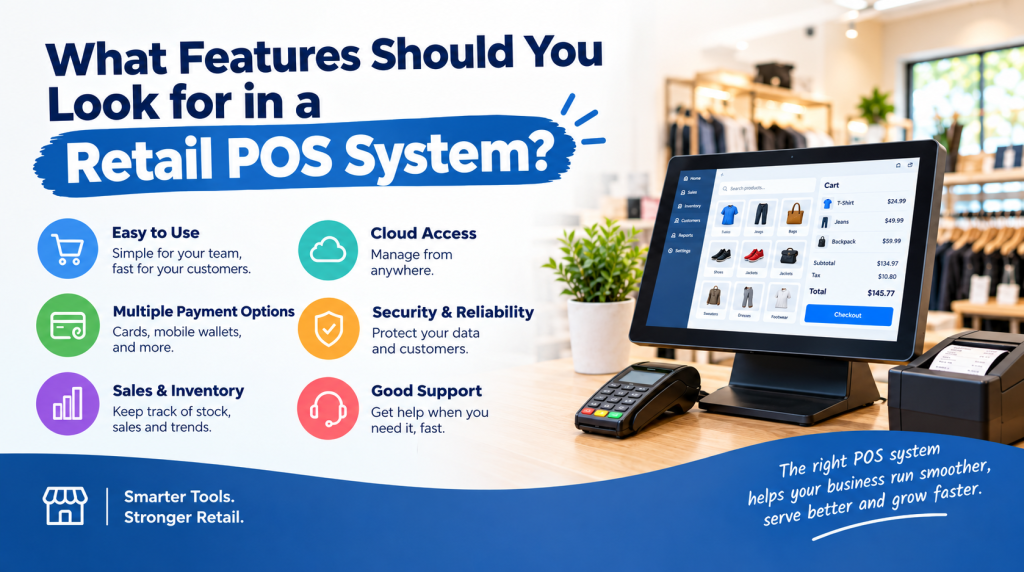
What Should You Look for in a Retail POS System?
Choose a retail POS system that supports the parts of your business that directly affect revenue, costs, and daily operations.
Important features include:
- Fast payment processing
- Real-time inventory tracking
- Barcode scanning
- Sales reporting
- Product and SKU management
- Employee management
- Customer management
- Multiple payment options
- Online and in-store sales integration
- Cloud-based access
US Payrun offers these types of retail tools through its POS solutions, helping businesses manage transactions and operational data from a connected platform.
The best choice is not simply the system with the longest feature list. The right POS system should solve the daily problems that cost your store time and money.
Improve Store Profitability With US Payrun
A retail POS system helps increase store profitability by improving the way you manage sales, inventory, payments, employees, and business data. It gives you more control over daily operations and helps you identify problems before they create larger financial losses.
US Payrun is the owner and provider of its POS solutions, helping retail businesses choose systems that fit their daily operations and business needs. From faster checkout and inventory tracking to sales reporting and multi-channel management, US Payrun provides tools that support better store management.
Contact US Payrun today to discuss a retail POS solution and find the right system for improving control, efficiency, and profitability across your store.
FAQs
Can a POS system work during an internet outage?
Yes. Some POS systems support offline transaction processing and sync data after the connection returns.
Can a retail POS system handle product returns?
Yes. POS systems can process and record returns to keep transaction records organized.
Can I use a POS system for more than one store?
Yes. Multi-store POS systems can centralize sales, inventory, and reporting across locations.
Does a POS system support barcode scanners?
Yes. Retail POS systems support barcode scanning for faster product lookup and inventory updates.
Can a POS system help manage discounts?
Yes. POS software can apply and track store discounts and promotional pricing.
Related US Payrun solutions
Questions about a POS system for your business? Call (860) 844-3611 or request a free trial.