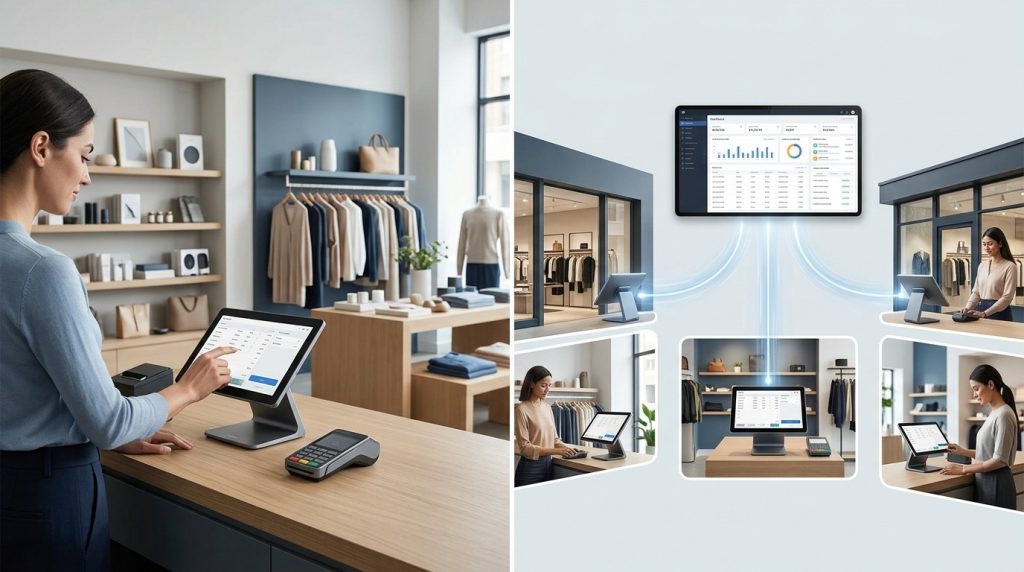

Running a salon or spa involves more than providing beauty and wellness services. Staff members manage appointments, process payments, handle customer requests, track employee tips, and sell retail products throughout the day. Managing these tasks separately can create unnecessary work and lead to scheduling and payment mistakes.
A salon POS system brings important business operations together in one place. It helps owners manage bookings, accept payments, record tips, track product sales, and monitor daily revenue.
Whether you operate a hair salon, nail studio, beauty spa, or wellness center, the right POS system helps organize daily activities and gives you better control over your business.
Why Salons and Spas Need a Specialized POS System
A standard payment terminal handles transactions, but salons and spas need more than basic checkout functionality.
Their daily operations involve appointment scheduling, service durations, employee assignments, customer records, and retail inventory. A specialized salon POS system connects these activities and reduces the need to switch between separate tools.
For example, a customer booking a haircut may also purchase shampoo and conditioner during checkout. The POS system should record the service, process the payment, calculate applicable tips, and update retail inventory.
7 Essential Features to Look for in a Salon POS System
Not every POS system offers the same tools. Before choosing one, look for the features that support bookings, payments, tips, and retail sales together.
1. Appointment Booking and Calendar Management
A salon POS system should include a clear calendar where staff can book appointments, see who is available, and manage service times. Online booking lets customers choose a service, a staff member, and a time without calling. Reminders by text or email help reduce no-shows. Make sure the calendar is easy to read during a busy day and that double bookings are hard to make by mistake.
2. Integrated Payment Processing
Payments should work smoothly at the front desk and, where needed, on a mobile device. A salon POS system should accept cards, contactless payments, and mobile wallets, and it should link each payment to the right service, staff member, and customer. Clear payment records make end-of-day reconciliation simpler and help you spot errors quickly.
3. Employee Tip Management
Tips are an important part of salon pay. A salon POS system should record tips by employee and by service, whether the tip is paid by card or in cash. Clear tip records help owners pay staff accurately and avoid disputes at the end of the week. Check whether tips can be split between staff, and whether the system can export tip totals for payroll.
4. Retail Inventory Management
Many salons sell shampoo, conditioner, styling products, skincare, and other retail items. A salon POS system with retail inventory management tracks stock levels, shows which products sell best, and warns you when an item is running low. That helps you reorder on time and avoid telling a customer that their favorite product is out of stock.
5. Customer Profiles and Purchase History
Customer profiles store contact details, service history, preferences, and product purchases. A salon POS system that keeps this information in one place helps staff remember what a customer likes, what they bought last time, and when they are due for a follow-up. That personal touch can encourage repeat visits.
6. Employee Scheduling and Performance Reports
Scheduling and performance reports help owners manage their team. A salon POS system should show who is working, which services each employee performed, how much revenue each person generated, and which services are most popular. With that information, you can plan schedules, set realistic targets, and support staff who need extra training.
7. Sales Reports and Business Analytics
Sales reports turn daily transactions into decisions. Look for reports by service, product, employee, day, and payment type. A salon POS system should show your busiest times, your best-selling services and products, and your average ticket size. Use those reports to plan promotions, adjust prices, and decide which services to promote.
How Booking, Tips, and Retail Work Together in One POS System
When booking, tips, and retail share one system, the whole day runs more smoothly. A customer books online, arrives for their appointment, receives their service, adds a retail product, pays by card, and leaves a tip, all recorded in one place. The staff member gets the right tip, the inventory updates, and the sales report reflects the full visit. That connection saves time and reduces the errors that happen when information is copied between separate tools.
How Much Does a Salon POS System Cost?
Costs vary by provider, hardware, and the features you choose. You will usually pay for hardware, a monthly software fee, and a percentage on each card payment. Some systems charge extra for online booking, inventory, or reporting add-ons. Before you buy, add up the hardware, the monthly fee, and the processing cost at your sales volume, and compare that total across providers.
Popular POS Systems for Salons and Spas
Vagaro
Vagaro is built for salons, spas, and fitness businesses, with booking, payments, and marketing tools in one place. It is a common choice for small salons because it combines scheduling with checkout. Check the monthly cost, the payment processing fees, and whether the features you need are included in the plan you choose.
Other salon POS options include systems built for beauty businesses, as well as general POS systems with booking and inventory add-ons. Compare the booking calendar, tip tracking, retail inventory, and reporting in each one, rather than choosing on price alone.
Common Mistakes to Avoid When Choosing a Salon POS System
Do not choose a system only because it is cheap, and do not buy one that handles payments but has no booking calendar or tip tracking. Avoid signing a long contract before your team has tested the system during a real working day. Do not ignore the cost of add-ons, and do not forget to train staff on bookings, tips, and retail, not only on payments.
Choosing the Right Salon POS System for Your Business
List the features you need most: online booking, tip management, retail inventory, customer profiles, or sales reports. Test the calendar, the checkout flow, and the tip and inventory screens with your team. Ask other salon owners what they use and what they would change. The right salon POS system is the one that fits your services, your team, and the way your customers book and pay.
Manage Your Salon Operations With the Right POS System
A salon POS system should make your day easier, not more complicated. When bookings, payments, tips, and retail work together, staff spend less time on admin and more time with customers. Start with a clear list of must-have features, test the system in real use, and check the total cost before you commit.
USPayrun helps salons and spas accept payments, manage bookings, and understand their sales, with POS and payment tools built for small businesses. If your current system forces you to switch between separate tools, look for one that brings bookings, tips, and retail together. Visit USPayrun to learn more about POS and payment options for your salon or spa.
FAQs
What is a salon POS system?
A salon POS system is a point-of-sale system built for salons and spas. It handles bookings, payments, employee tips, retail sales, and customer records in one place, instead of using separate tools for each task.
Can a salon POS system manage online appointments?
Yes. Most salon POS systems include online booking, so customers can choose a service, a staff member, and a time without calling. The system can also send reminders to help reduce no-shows.
Can salon POS systems track employee tips?
Yes. A salon POS system can record tips by employee and by service, whether the tip is paid by card or in cash. Clear tip records help owners pay staff accurately and avoid disputes.
Do salon POS systems track retail inventory?
Yes. Many salon POS systems track retail inventory, show which products sell best, and warn you when stock is running low, so you can reorder on time.
Which POS system is best for a small salon?
The best salon POS system for a small salon is the one that fits its services, team, and budget. Look for online booking, tip tracking, retail inventory, and clear sales reports, and test the system during a real working day before you commit.