
A POS system for a bar and restaurant needs to handle more than payments. It should help staff enter orders accurately, manage drink tabs, coordinate food preparation, track sales, and close checks without slowing down service. The right setup connects the bar, dining room, kitchen, and management into one organized workflow.
A neighborhood pub, a cocktail bar serving small plates, and a full-service restaurant have different operating needs. Choosing a system based on the way the business serves customers helps owners avoid unnecessary hardware and missing features.
Order Management for Busy Service
Order management keeps food and drink orders organized from entry to completion. Staff need a clear way to add items, customize requests, send orders to the correct preparation area, and update checks.
A restaurant with a bar needs separate workflows for drinks and food without losing track of the customer’s full order. For example, a server should be able to send a cocktail order to the bar and a burger order to the kitchen through the same POS workflow.
Look for menu modifiers, order notes, item-level discounts, void controls, and options to transfer checks between staff members. These features help reduce duplicate entries and confusion during busy shifts.
Bar Tabs and Flexible Payment Options
Bar tabs are essential for businesses where guests order several rounds before paying. A suitable POS system should support open checks and make it easy for authorized staff to add items, review the balance, and close the tab.
Preauthorized card tabs are another feature worth evaluating. They help bars manage open tabs while applying the provider’s rules for payment authorization and final settlement. Confirm the system’s tab policies and payment-processing requirements before choosing a provider.
Split payments matter, too. Guests may want to divide a check equally, pay for specific items, or use a combination of payment methods. Flexible checkout reduces delays at closing time and gives staff more options for handling groups.
Menu Customization for Food and Drinks
Menu management helps owners update prices, organize categories, and control item availability. A bar and restaurant POS should accommodate both food menus and drink lists without making order entry complicated.
Useful menu tools include:
- Categories for appetizers, entrees, beer, wine, cocktails, and nonalcoholic drinks.
- Modifiers for ingredients, toppings, sides, and preparation preferences.
- Happy-hour pricing and scheduled promotions, where supported.
- Options to mark sold-out items as unavailable.
- Separate menus or prices for different service periods.
Consider a restaurant that offers discounted appetizers and selected drinks during happy hour. The POS should make the applicable prices easy to identify and apply. Ask whether promotions run automatically on a schedule or require staff to activate them.
Table Management for Dine-In Service
Table management helps servers and managers coordinate seating, orders, and payments. A visual floor plan makes it easier to see which tables are occupied, which checks remain open, and where staff need to focus.
Full-service restaurants benefit from table assignment, open checks, guest counts, and check transfers. Bars with table service may need similar tools for lounge seating, booths, and outdoor areas.
Handheld POS devices add flexibility by allowing staff to enter orders near the table. Depending on the hardware and software, they may support tableside payments as well. This reduces trips to a fixed terminal and helps staff keep service moving.
Kitchen Display Systems and Order Routing
A kitchen display system (KDS) sends orders to digital screens in the preparation area. It gives kitchen staff a clear view of incoming tickets and helps organize food preparation.
For a bar and restaurant, order routing is particularly important because drinks and meals may need different preparation workflows. Drink orders should reach the appropriate bar station, while food orders should go to the kitchen or relevant preparation station.
Before purchasing a POS, check whether it supports multiple routing destinations, item modifiers, order-status updates, and preparation-time tracking. Confirm whether the KDS, additional screens, and required integrations are included in the quoted package or carry separate costs.
Inventory Tracking for Drinks and Food
Inventory management helps owners monitor stock, identify purchasing needs, and review product movement. For restaurants, this may include ingredients and menu items. Bars need visibility into beverage stock, including high-demand drinks and products that require careful cost control.
A POS system may track inventory based on recorded sales. More advanced setups support recipe-level ingredient deduction, purchase records, and low-stock alerts. The depth of tracking depends on the software and its configuration.
For example, sales reports may show that a particular cocktail sells well on Friday nights. When connected to suitable inventory tools, the business can compare sales activity with expected ingredient usage and plan future orders.
Inventory reports are not a replacement for physical counts. Spills, overpouring, spoilage, and recording errors affect actual stock. Regular checks help owners compare system records with what is on hand.
Sales Reports That Support Better Decisions
Sales reporting helps owners understand revenue, popular items, payment activity, and employee performance. A useful POS system presents this information in reports that managers can review without manually combining separate records.
For bars and restaurants, useful reporting categories include:
- Sales by day, shift, and time period.
- Food and beverage sales by menu item or category.
- Discounts, refunds, voids, and taxes.
- Tips and payment methods.
- Sales activity by employee or location, where supported.
These reports help owners identify busy periods, review menu performance, and plan staff coverage. They also help managers investigate unexpected changes in sales or discounts.
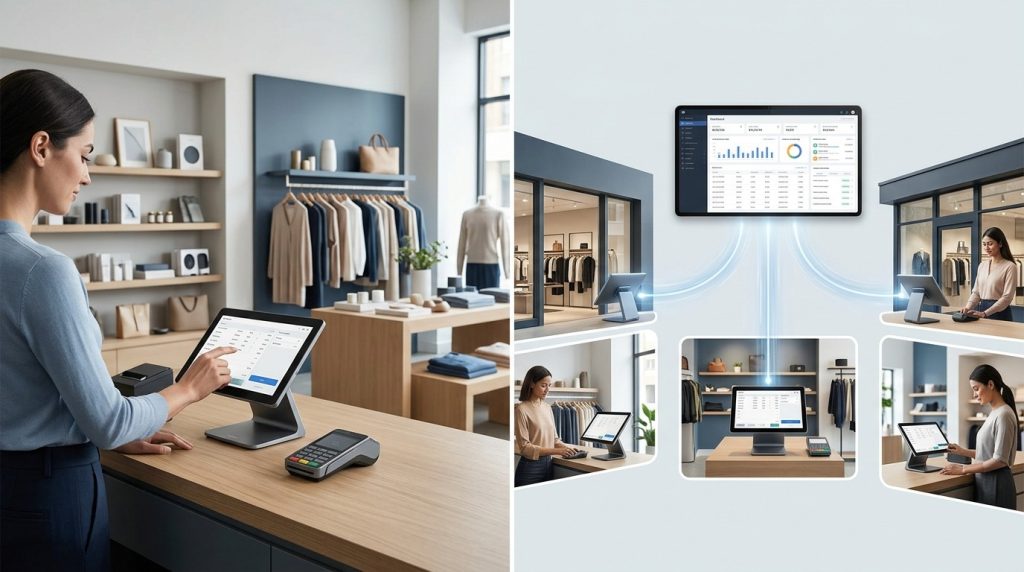
Check whether reports update in real time, support exports, and allow owners to compare date ranges. Multi-location operators should confirm that they can review each venue separately and compare overall performance from a central dashboard.
Employee Permissions and Shift Accountability
Employee controls help managers assign access based on job responsibilities. A bartender, server, cashier, and manager do not need identical permissions.
Individual logins and role-based access help limit who can issue refunds, change prices, apply discounts, or void transactions. An activity log makes it easier to review important actions when questions arise.
Some POS platforms offer time-clock and scheduling tools or integrate with separate workforce management software. Owners should verify which functions are included in their selected plan instead of assuming every system provides the same employee features.
Payment Processing and Security
A POS system should support the payment methods customers use and provide a clear record of completed transactions. Common options include EMV chip cards, contactless payments, mobile wallets, and other supported payment methods.
For a bar and restaurant, payment speed matters during lunch rushes, dinner service, and late-night closing. Handheld payment devices may help businesses take payments near the table, while countertop terminals suit fixed checkout stations.
Owners should compare processing rates, transaction fees, hardware costs, contract terms, and any additional service charges. The lowest advertised rate does not always represent the lowest total cost.
Security deserves the same attention. Ask about user permissions, software updates, encryption, payment-card security responsibilities, and the provider’s support process. Confirm how the system handles internet interruptions and whether offline payment functionality is available for the specific hardware and processing arrangement.
Online Ordering and Delivery Integration
Many bars and restaurants sell food through their own websites or delivery marketplaces. A POS system that integrates with supported ordering channels helps staff manage incoming orders without repeatedly entering the same information.
A connected workflow keeps order details organized and reduces manual work. It also helps staff coordinate pickup and delivery orders with dine-in service.
Before choosing a system, confirm which third-party platforms it supports, whether online orders flow directly into the POS, and whether integrations carry additional fees. Businesses that want to increase direct orders should evaluate website ordering options and how those orders connect with kitchen operations.
Choosing the Right POS Setup for Your Business
The right configuration depends on the type of service, order volume, number of locations, and budget.
- Cocktail bar or pub — Features to prioritize: open tabs, drink modifiers, quick checkout, sales reports.
- Bar with food service — Features to prioritize: drink tabs, food order routing, menu management, kitchen display.
- Full-service restaurant with a bar — Features to prioritize: table mapping, handheld ordering, split checks, kitchen routing.
- Sports bar — Features to prioritize: fast order entry, open checks, multiple payment options, shift reporting.
- Multi-location bar and restaurant — Features to prioritize: centralized menu controls, location-level reports, user permissions.
A small venue may need one main terminal and a receipt printer. A larger operation may require multiple terminals, handheld devices, kitchen displays, and additional payment stations.
USPayrun offers restaurant POS solutions with order management, table management, payment processing, menu customization, reporting, and hardware options. Its restaurant POS service also supports businesses evaluating online ordering and kitchen workflows. Confirm the features, integrations, and costs available for the specific setup before making a decision.
Questions to Ask Before Buying a POS System
A product demonstration helps owners determine whether the system fits their daily operations. Ask the provider to demonstrate a real service scenario instead of showing only individual features.
Have the representative show how staff open and close a bar tab, split a group check, send drinks and food to separate stations, update a sold-out menu item, and review end-of-shift sales. Ask how the system handles refunds, employee permissions, internet outages, and support requests.
Request a complete quote covering hardware, software subscriptions, payment processing, installation, integrations, training, and ongoing support. Review the contract and confirm which features require additional charges.
Get a POS System That Fits Your Bar and Restaurant
The right POS system helps bar and restaurant teams coordinate orders, manage tabs, track sales, and process payments through a more organized workflow. The best choice is the one that fits the venue’s service style and supports the tasks employees perform every shift.
USPayrun helps businesses evaluate restaurant POS hardware, payment solutions, order management, and reporting tools. Visit USPayrun to explore available options and request a setup suited to your business.
FAQs
1. What is a POS system for a bar and restaurant?
It is a combination of software and hardware used to manage orders, payments, sales records, and other daily operations across bar and restaurant service.
2. Does a bar POS system support open tabs?
Many bar-focused POS systems support open tabs. Confirm whether the system supports card preauthorization, tab transfers, and the payment methods your venue accepts.
3. Does a restaurant POS system connect to a kitchen display?
Many restaurant POS systems integrate with a kitchen display system. Confirm compatibility, order-routing options, and any extra hardware or software costs.
4. Can one POS system manage food and drink orders?
Yes. A suitable system manages food and drink menus within one workflow and routes orders to the correct preparation stations when the required features are supported.
5. How should a bar or restaurant compare POS systems?
Compare order management, tabs, menu controls, reporting, payment processing, hardware, integration options, support, and total operating costs.