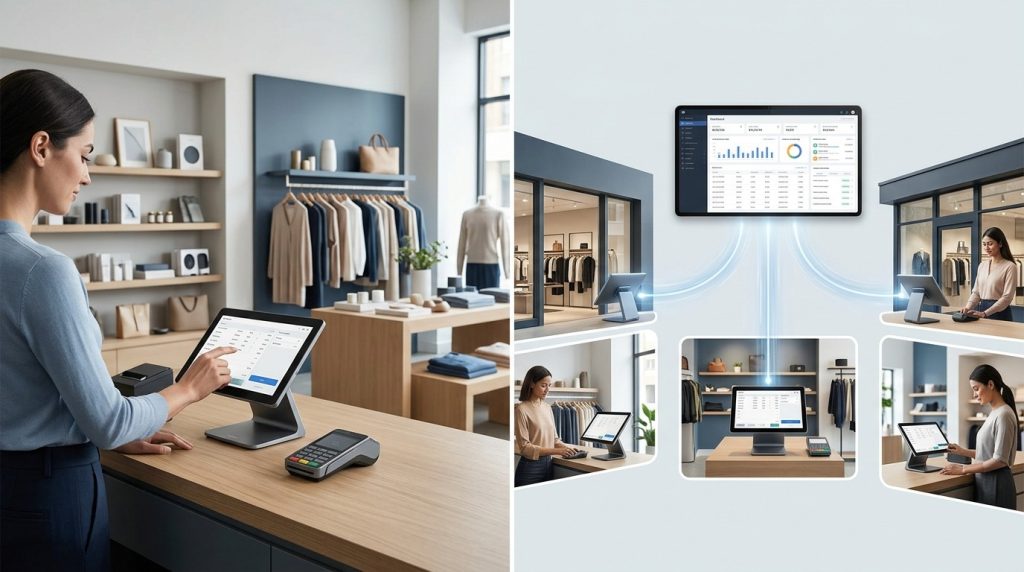

A restaurant point-of-sale (POS) system does more than process payments. It connects orders, kitchen operations, sales reports, employee workflows, and sometimes inventory and online ordering. Choosing the right system helps restaurant owners manage daily operations and understand business performance.
The best POS system for a restaurant depends on how the business operates. A food truck needs fast order entry and mobile payment support. A full-service restaurant needs table management, split bills, and kitchen communication. A restaurant with several locations needs centralized menus, reporting, and inventory controls.
This guide compares five popular restaurant POS systems, explains the features that matter, and shows how to evaluate the total cost before committing to a provider.
What Is the Best POS System for a Restaurant?
The best POS system is the one that fits your restaurant’s service model, budget, and operational needs. There is no single solution that works best for every restaurant.
Here are five options worth comparing:
- Toast — Best fit: full-service and growing restaurants. Key strength: restaurant-focused operations, kitchen tools, and integrated features. Consider before choosing: review hardware requirements, processing rates, contract terms, and add-on costs.
- Square for Restaurants — Best fit: small restaurants, cafés, and counter-service businesses. Key strength: accessible software options and straightforward setup. Consider before choosing: check plan limits, processing fees, and the cost of advanced features.
- Clover — Best fit: quick-service restaurants and businesses wanting bundled hardware. Key strength: multiple terminal and hardware configurations. Consider before choosing: compare the full hardware package, processing terms, and monthly charges.
- Lightspeed Restaurant — Best fit: restaurants with detailed reporting and complex operations. Key strength: reporting, menu controls, and operational tools. Consider before choosing: confirm plan availability, integrations, and total subscription costs.
- US Payrun — Best fit: restaurants seeking POS hardware, payment processing, and operational support. Key strength: restaurant POS solutions, kitchen display options, and onboarding assistance. Consider before choosing: request a quote based on the required hardware, software, and payment setup.
These systems serve different needs. Compare their current plans and terms directly before making a purchase. Features and pricing vary by package and may change.
What Features Should You Look for in a Restaurant POS System?
A restaurant POS system should support the way your staff take orders, prepare food, collect payments, and review sales. Start with essential workflows before paying for advanced features.
1. Order Management
Order management keeps sales organized from the moment a customer places an order. Staff should be able to enter items, select modifiers, apply discounts, and handle special requests.
For example, a burger restaurant needs options for toppings, side dishes, meal combinations, and cooking preferences. A pizza shop needs size selections, crust options, and additional toppings.
The POS should send accurate order details to the kitchen and reduce the need for staff to re-enter information manually.
2. Kitchen Display System
A kitchen display system (KDS) sends orders to a screen in the kitchen. It helps kitchen staff view incoming tickets, track preparation status, and prioritize orders.
A KDS is especially useful for restaurants that handle many orders during busy periods. It reduces reliance on printed tickets and helps front-of-house staff monitor order progress.
Before choosing a system, check whether the KDS is included in the software plan or requires separate hardware and a subscription.
3. Table Management and Split Payments
Full-service restaurants need tools for managing tables, assigning orders, and handling different payment requests.
A suitable system should let servers transfer orders between tables, add items to an open ticket, and split bills by customer or item. These functions help staff manage busy dining rooms without creating unnecessary delays.
Counter-service restaurants may not need advanced table management. Their priorities may include quick order entry, reliable payments, and kitchen ticket routing.
4. Inventory Management
Inventory tools track ingredients and products used in restaurant operations. Depending on the system, they may support stock counts, low-stock alerts, ingredient usage, and supplier management.
For example, a restaurant selling chicken sandwiches needs to monitor chicken, buns, cheese, and other ingredients. More advanced systems link menu sales to ingredient usage and help managers estimate food costs.
Check how inventory is calculated and whether ingredient-level tracking is included. Basic item counts are not the same as full restaurant inventory management.
5. Payment Processing
Payment processing affects the cost of every card transaction. Your POS should support the payment methods your customers use, including chip cards, contactless payments, and mobile wallets where available.
Ask the provider for its complete processing schedule. Review rates for in-person, online, keyed, and manually entered transactions where applicable.
Compare percentage fees, per-transaction charges, monthly fees, hardware costs, and contract terms. A low monthly software price does not always mean a lower total cost.
6. Online Ordering and Delivery
Restaurants that accept online orders need a reliable way to receive and manage them. Integrated online ordering sends orders into the same workflow used for in-house sales.
Check whether the POS synchronizes menu items, prices, availability, taxes, and modifiers across ordering channels. Confirm whether third-party delivery integrations require additional fees.
A restaurant that receives orders from its own website and multiple delivery marketplaces should understand how each channel connects to the POS before signing a contract.
7. Sales Reports and Analytics
Sales reporting helps restaurant owners understand which products sell, when demand peaks, and how the business performs.
Useful reports include daily sales, sales by item, payment summaries, discounts, voids, and employee activity. Multi-location restaurants need consolidated reports as well as location-level data.
Look for reports that support practical decisions, such as adjusting staff schedules, reviewing menu performance, and identifying changes in sales patterns.
How Do the Best Restaurant POS Systems Compare?
The main differences between restaurant POS systems involve their workflows, pricing models, integrations, and hardware requirements. Evaluate each system against the needs of your restaurant rather than relying on a general ranking.
Toast: Best for Restaurant-Focused Operations
Toast is designed for food-service businesses and offers POS hardware, order management, kitchen tools, and additional restaurant operations features.
It is worth evaluating for full-service restaurants, fast-casual businesses, and operators who want multiple functions within one platform.
Before choosing Toast, review the current plan, payment processing terms, hardware requirements, contract length, and prices for additional services. Confirm which features are included in the specific package being offered.
Square for Restaurants: Best for Small Restaurants and Cafés
Square for Restaurants is worth considering for cafés, food trucks, small restaurants, and counter-service businesses that want accessible software options.
Its offerings include tools for managing orders and payments, with additional capabilities depending on the plan and connected services.
Check whether the free or paid plan meets your requirements for staff management, reporting, kitchen operations, and online ordering. Include payment processing and hardware in your cost comparison.
Clover: Best for Restaurants Seeking Flexible Hardware Options
Clover offers POS hardware and software packages for different business types, including restaurants. Available configurations depend on the package and sales channel.
Clover is worth evaluating when you want a bundled terminal setup or need to compare several hardware formats.
Review the complete agreement before buying. Processing rates, monthly fees, equipment costs, and cancellation terms vary by plan and provider. Confirm the exact terms in writing.
Lightspeed Restaurant: Best for Reporting and Complex Operations
Lightspeed Restaurant offers tools for restaurant management, including sales reporting and operational features. It is worth comparing for businesses that need detailed information about performance and service workflows.
Check which features are included in the available plan, how integrations work, and whether the system supports your existing hardware.
Restaurants with multiple locations should confirm how the platform handles shared menus, location-specific pricing, permissions, and consolidated reporting.
US Payrun: Best for Restaurants Seeking POS Setup and Support
US Payrun provides POS solutions for restaurants and other businesses in the United States. Its restaurant offerings include order management, kitchen display options, payment solutions, and onboarding assistance.
The company describes a setup process that includes menu configuration, hardware setup, staff training, and ongoing support. This is worth considering for restaurants that want help preparing a POS system for daily operations.
Visit the US Payrun restaurant POS page to review its restaurant-specific capabilities and discuss the configuration your business needs.
How Much Does a Restaurant POS System Cost?
Restaurant POS costs depend on the software plan, hardware, payment processing, installation, and optional features. The advertised monthly subscription is only one part of the total expense.
Your quote may include the following charges:
- POS software — Monthly or annual subscription and included features.
- Hardware — Terminals, tablets, card readers, printers, and cash drawers.
- Kitchen display system — Screen hardware, software fees, and installation.
- Payment processing — Percentage rate and per-transaction charge.
- Online ordering — Website ordering, integrations, and marketplace connections.
- Setup and training — Installation, menu configuration, data migration, and staff training.
- Support — Included service hours, response times, and paid support options.
- Contract — Minimum term, renewal conditions, and cancellation fees.
Some providers advertise a free or low-cost entry plan. Others use bundled hardware and processing arrangements. These offers are not directly comparable without reviewing the full terms.
Request an itemized quote for your actual restaurant setup. Ask the provider to separate recurring fees, one-time charges, processing expenses, and optional add-ons.
How Can You Compare POS Costs Accurately?
Estimate your monthly transaction volume and average ticket size. Then calculate processing expenses using each provider’s quoted rate and transaction fee.
For example, a restaurant processing $40,000 in monthly card sales would pay $1,000 in percentage-based fees at a hypothetical rate of 2.5%, before per-transaction charges and other fees. The actual amount depends on the provider’s pricing and the restaurant’s transaction mix.
Next, add the software subscription, hardware payments, and any recurring charges. This gives you a more realistic comparison than the advertised starting price.
Which POS System Is Best for Different Types of Restaurants?
The right POS system depends on the tasks your staff perform every day. Match the software to your service model before comparing optional features.
Small cafés and coffee shops: Prioritize fast checkout, simple menu management, contactless payments, and clear daily sales reports.
Food trucks: Look for compact hardware, mobile payment options, quick order entry, and reliable connectivity. Confirm how the system handles connectivity interruptions.
Quick-service restaurants: Focus on fast order entry, kitchen ticket routing, modifiers, and online order integration.
Full-service restaurants: Look for table management, handheld ordering, split bills, kitchen displays, and staff permissions.
Pizza shops: Prioritize topping and size modifiers, combo management, delivery tickets, and online menu synchronization.
Multi-location restaurants: Check centralized menu management, location-level permissions, consolidated reporting, and the ability to update prices across locations.
Restaurants with high online-order volume: Focus on order synchronization, accurate preparation times, menu availability, and integrations with your website and delivery channels.
Create a shortlist of systems that support your essential workflows. There is little value in paying for complex features your staff will not use.
What Questions Should You Ask Before Buying a Restaurant POS?
Ask practical questions about daily use, total costs, support, and future requirements before signing an agreement.
Does the system support my restaurant’s menu? Confirm that it handles modifiers, combos, discounts, taxes, and special requests.
Will it work with my existing hardware? Ask the provider to verify compatibility before purchasing replacement equipment.
How much will I pay each month? Request the full software, hardware, support, and processing costs in writing.
Does online ordering connect directly to the POS? Confirm how orders, menu changes, and item availability are synchronized.
What happens when the internet goes down? Ask which functions continue working offline and how transactions synchronize after service returns.
What support is available during business hours? Confirm availability, response times, and whether phone support is included.
Can the system support future growth? Check whether it accommodates more terminals, new locations, and additional operational requirements.
What are the contract and cancellation terms? Review the minimum term, renewal rules, equipment obligations, and any early termination charges.
These questions help you compare providers on the details that affect daily operations and long-term costs.
How Do You Switch to a New Restaurant POS System?
Switching POS systems requires planning because order taking and payment processing must continue during the transition.
Start by documenting your current menu, modifiers, prices, taxes, payment methods, and reporting needs. Identify the hardware you already own and ask the new provider to check compatibility.
Next, arrange menu configuration and hardware setup. Test each terminal, receipt printer, kitchen printer, kitchen display, and payment device before the new system goes live.
Train staff on opening orders, modifying tickets, processing refunds, splitting payments, and handling common errors. Run test transactions and confirm that sales reports display the correct information.
Choose a launch time that gives your team room to learn the system. Keep support contact details available and verify that all critical functions work before removing the old setup.
Choose a Restaurant POS System That Fits Your Business
The best POS system for a restaurant supports the way your team takes orders, prepares food, collects payments, and manages daily performance. It should fit your service model and budget without adding unnecessary complexity.
Compare order management, kitchen communication, inventory, online ordering, reporting, hardware, processing rates, and contract terms. Test the workflows your employees use most, and review the full cost before making a decision.
Looking for a restaurant POS solution?
US Payrun helps restaurants evaluate POS hardware, software, payment processing, and setup requirements. Its team provides menu configuration, hardware setup, staff onboarding, and support options for restaurant operations.
Visit US Payrun to explore its POS solutions and request a quote based on your restaurant’s needs.
FAQs
What is the best POS system for a small restaurant?
The best option depends on your menu, budget, and service model. Compare Square for Restaurants, Clover, and other suitable systems based on essential features, total cost, and support.
How much does a restaurant POS system cost per month?
Monthly costs vary by software plan, hardware arrangement, processing terms, and add-ons. Request an itemized quote that includes recurring charges and payment processing.
Do restaurants need a kitchen display system?
A kitchen display system helps restaurants organize incoming orders and track preparation. It is especially useful for busy kitchens handling orders from several service channels.
Can a restaurant POS system manage online orders?
Many restaurant POS systems support online ordering through built-in tools or integrations. Confirm that orders, menu changes, modifiers, and item availability synchronize correctly.
What should restaurants compare before choosing a POS system?
Compare order management, payment processing, hardware, inventory, reporting, online ordering, support, and contract terms. Choose the system that meets your operational needs at a manageable total cost.